
Navigating the Subscribers page is essential for effective list management.
Accessing the Subscribers Page
To access the subscribers page, click the "Subscribers" tab and select "Subscribers."
Note: The subscribers page will only display subscribers if at least one subscriber has been added to your list. If no subscribers have been added to your list yet, you can manually add your own email address to your list.
By default, the subscribers page filters to show only subscribers that are currently subscribed. To include subscribers marked as ‘Pending’ or ‘Unsubscribed,' choose a different filter on the right side of the screen, such as ‘Show All.’
Viewing Subscriber Information & Activity
To view details about a specific subscriber:
-
Visit the Subscribers page.
-
Click on the subscriber's name to view detailed subscriber information.

Here, you can access:
-
Name
-
Email Address
-
Location
-
IP Address
-
Date Subscribed
-
Tags
-
Ad Tracking
-
Custom Fields
-
Engagement Metrics: Messages sent, unique opens, unique clicks, open rate, and click rate.
-
Device and Client Usage: Opens by device and email client.
-
Subscriber Activity: Emails received, opened, and links clicked.
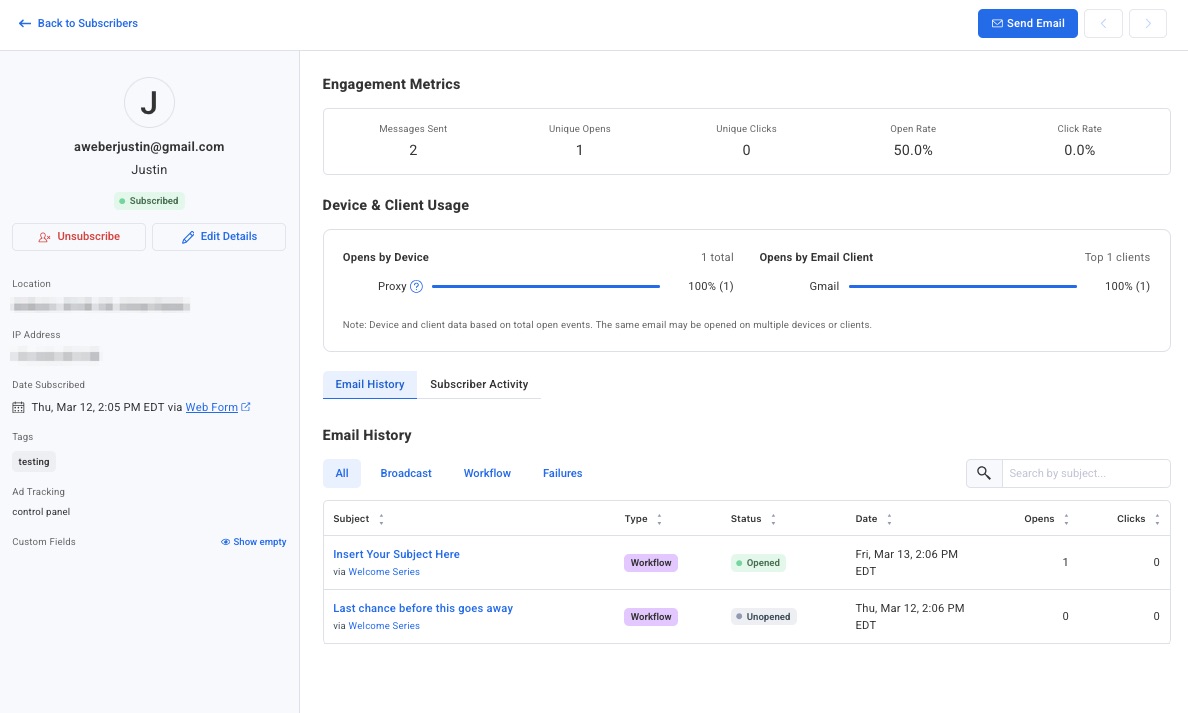
Note: You can edit a subscriber's name, email address, tags, and custom fields directly from this view. Click any field to make changes, then click Save. Note that "Confirmation pending" subscribers cannot be edited until they confirm.
Searching for a Specific Subscriber
To locate a particular subscriber, use the search filter on the Subscribers page:
-
Visit the Subscribers page.
-
Use the filter section at the top of the page to filter by criteria. For example, select Email > contains > [subscriber's email address] to find a specific subscriber.
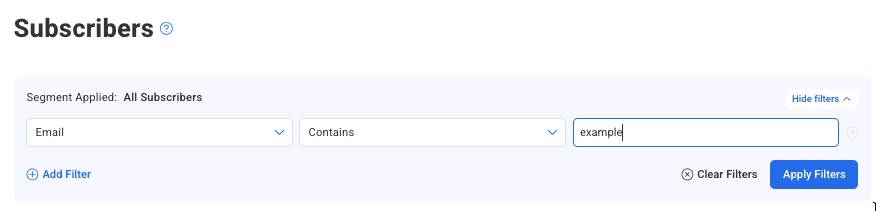
Note: You can add additional search criteria. To do so, simply click “add Filter” below the first dropdown in the search criteria. When doing so, subscribers that match ALL criteria that you've searched for will be found - if a subscriber matches one, but not another, they will not be displayed.
-
The matching subscriber will appear in the results below. Click their email address to view their full details and activity.
Searching for a Subscriber across All Lists
-
Go to your main Dashboard, and scroll to the "Lists" table towards the bottom of the page. You can search for a subscriber across all of your lists using the search bar above the table.

-
After searching, you can view all of the lists the subscriber is currently on.
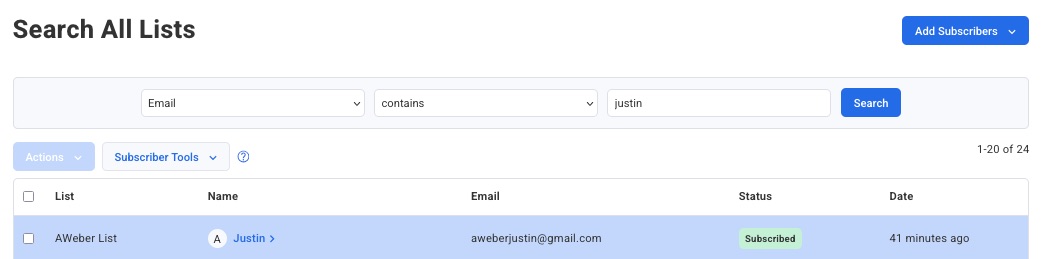
Note: To see all subscribers in all lists, simply search for Email > contains > @

Frequently Asked Questions
Can I create segments based on subscriber activity?
Yes. Reviewing subscriber activity is a great way to gauge how engaged your subscribers are. You can use search filters to create segments for more targeted broadcasts, which can be valuable for improving email performance.
Why does a subscriber's name empty?
If a subscriber did not submit their name when they signed up, their name will appear blank on the Subscribers page.
Can I track which web pages my subscribers visited?
Yes. If you have installed AWeber email web analytics, subscriber activity will also include which web pages they visited and any sales that were collected. This data appears alongside their email activity in the subscriber detail view.