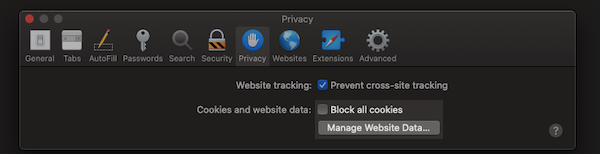
While the majority of visitors to our site do have cookies enabled, some do not.
How do I check if cookies are enabled?
Visit https://www.whatismybrowser.com/detect/are-cookies-enabled to determine if cookies are enabled.
If you find that cookies are turned off, you can turn them on below to take advantage of many popular website features.
Google Chrome
Follow the instructions for enabling cookies on Google's website:
Microsoft Internet Explorer
Follow the instructions for enabling cookies on Microsoft's website:
Mozilla Firefox
Follow the instructions for enabling cookies on Mozilla's website:
Apple Safari
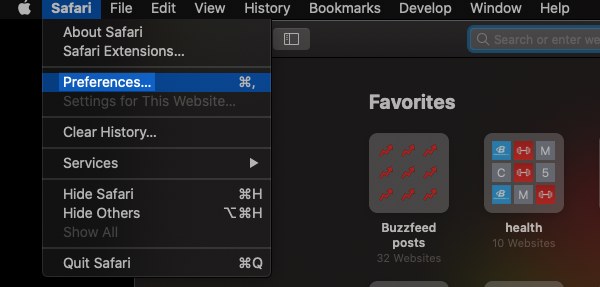
First, click "Safari" from the browser toolbar and choose "Preferences."
On the "Preferences" menu, choose "Privacy."
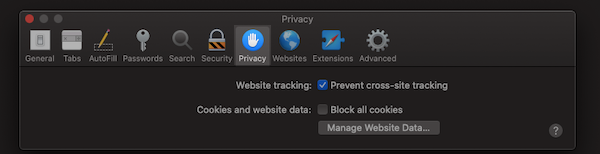
On the "Privacy" menu, uncheck the "Block all cookies" box. You can also manage cookies for certain sites by clicking "Manage Website Data."