This article explains how to log out of your AWeber account. The logout option is available from most pages in the account, including the account dashboard.
Step by Step Instructions
-
Visit your account dashboard.
-
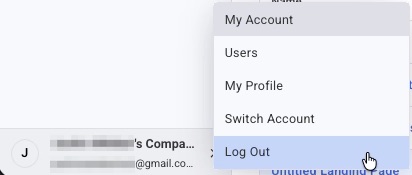
Click your account name in the bottom left corner of the dashboard.
-
Select "Log Out" from the dropdown menu that appears. You will be signed out and returned to the AWeber login page.