
The AI Signup Form Builder turns plain-language descriptions into fully designed, interactive signup forms. You don't need to know any code or design software — just describe what you want and the builder does the rest. This page walks you through how to write great prompts and shares real examples to spark your creativity.
Starting Your Prompt
There are three ways to get started:
-
Fill-in-the-blank (Mad Lib style): Use the guided template to build your first prompt step by step. Great for first-time users who aren't sure where to begin.
-
Write your own prompt: Describe your form in plain language. The more detail you include, the more tailored your result will be.
-
Start from the Inspiration Gallery: Browse ready-made form examples, pick one you like, and customize its prompt to fit your brand.
What Makes a Great Prompt
A strong prompt gives the builder enough context to make the right design decisions. Try to include:
-
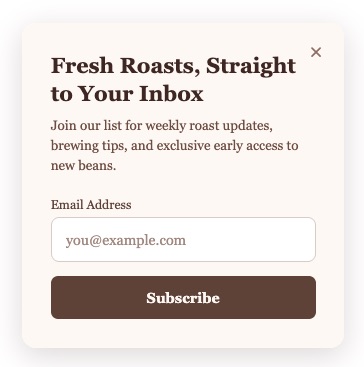
Form type: pop-up, slide-in, sticky bar, full page, inline, two-step
-
Your brand: colors, fonts, logo, tone of voice
-
Your audience: who is signing up and why
-
Specific elements: fields, animations, button text, headlines, countdown timers
|
Example |
result |
|---|---|
|
|
Prompting Strategies by Goal
Match Your Existing Branding
Paste in your website URL and the builder will pull your brand colors, fonts, and visual style automatically.
"Match the style of [yourwebsite.com] and create a signup form for my newsletter. Use my logo, pull my brand colors, and write a headline that fits the tone of my site."
You can also upload a screenshot of your website or an existing design as visual inspiration.
Get Creative with Style and Functionality
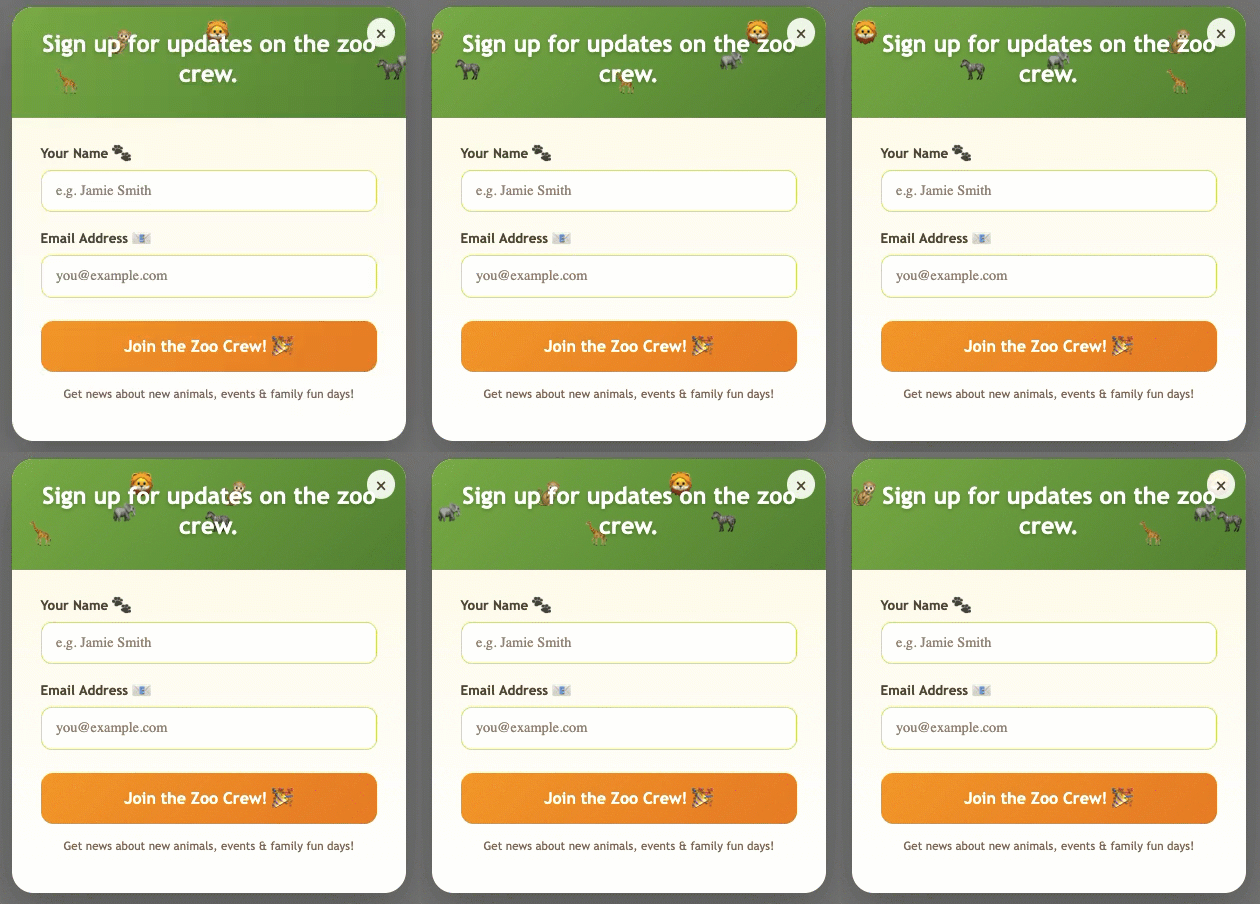
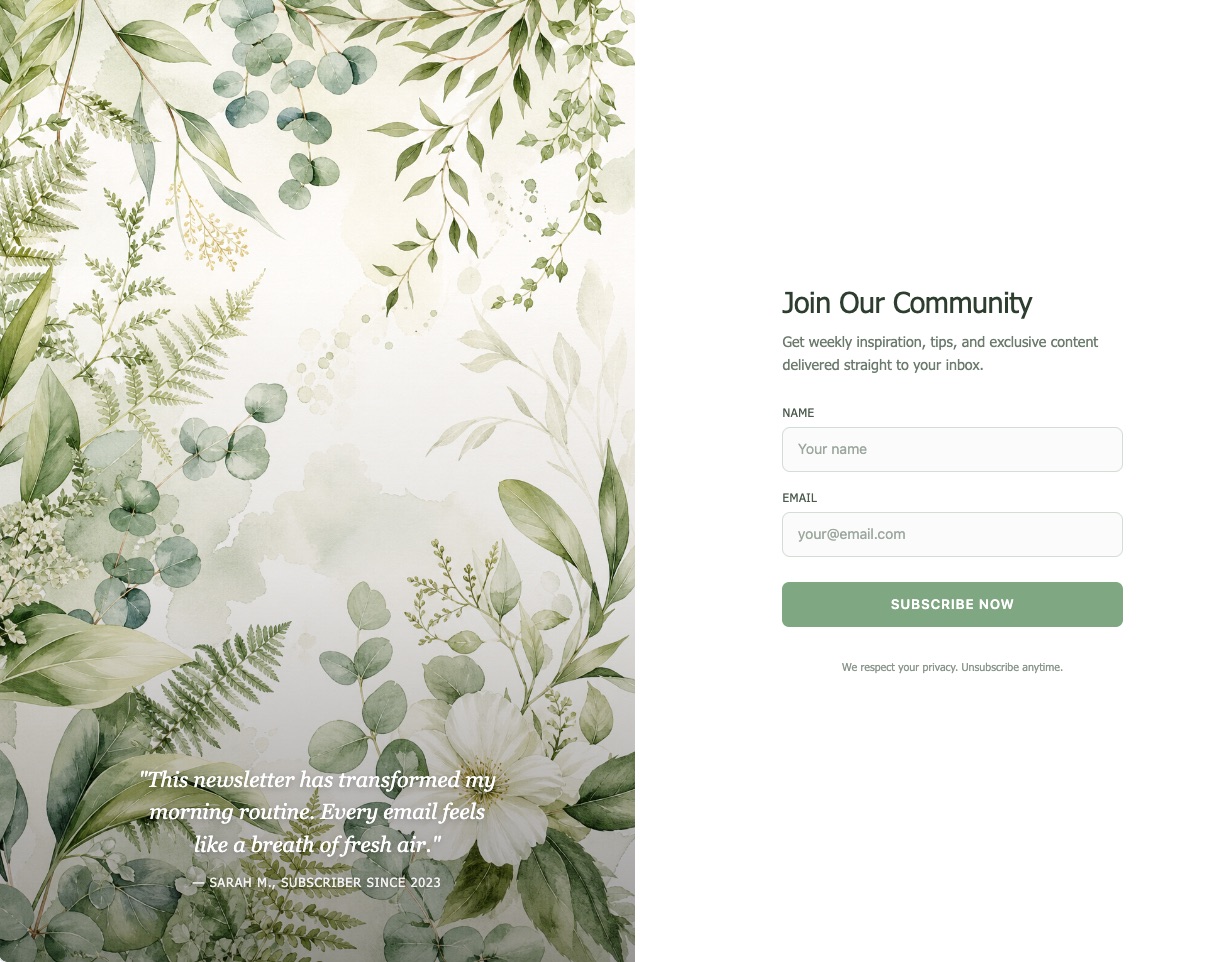
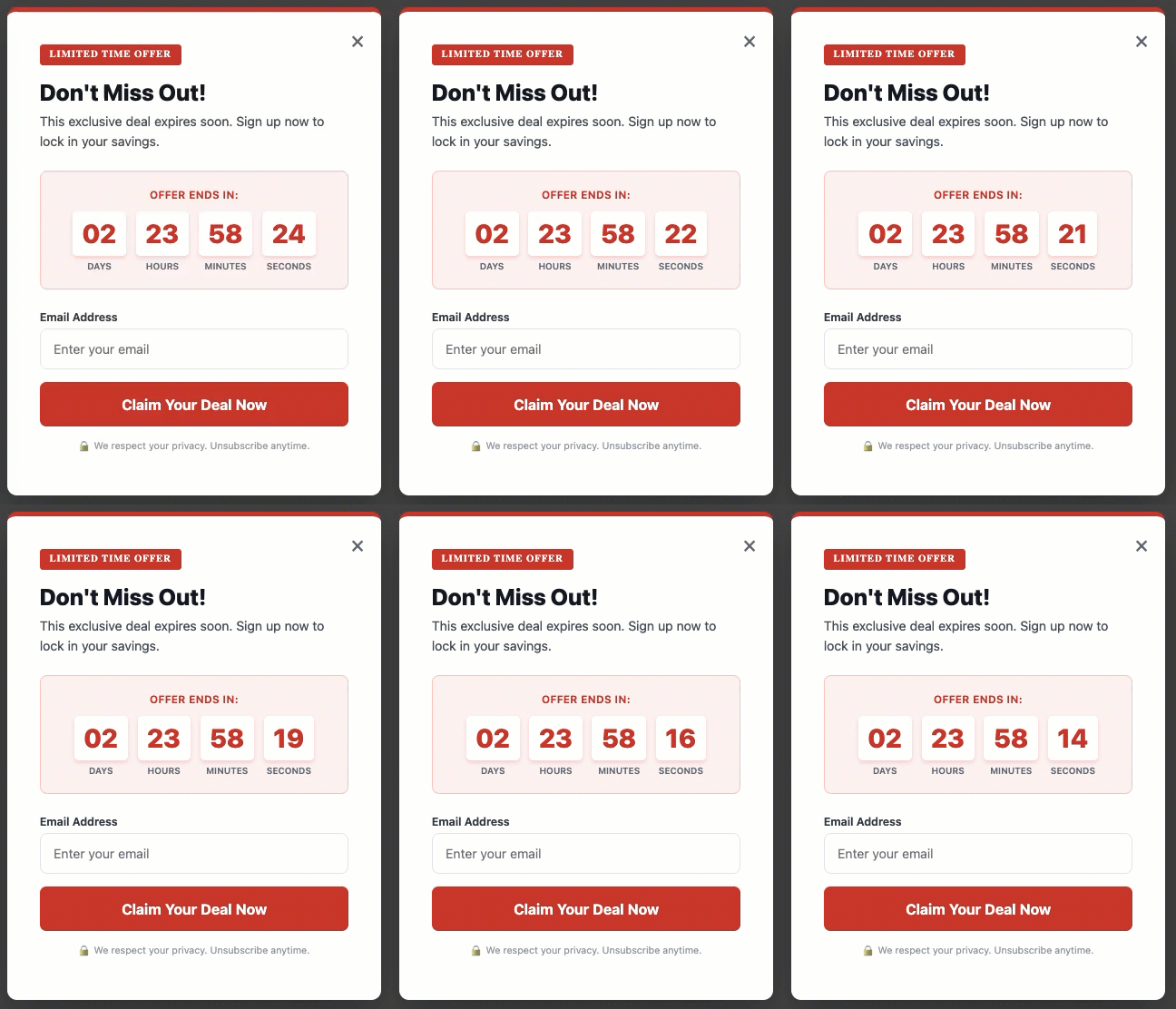
The builder can handle a wide range of styles and interactive features. Here are some prompts that produced exciting, real results:
|
Example |
result |
|---|---|
Fun & Animated Header
|
|
Lush & Botanical
|
|
Countdown Timer with Urgency
|
|
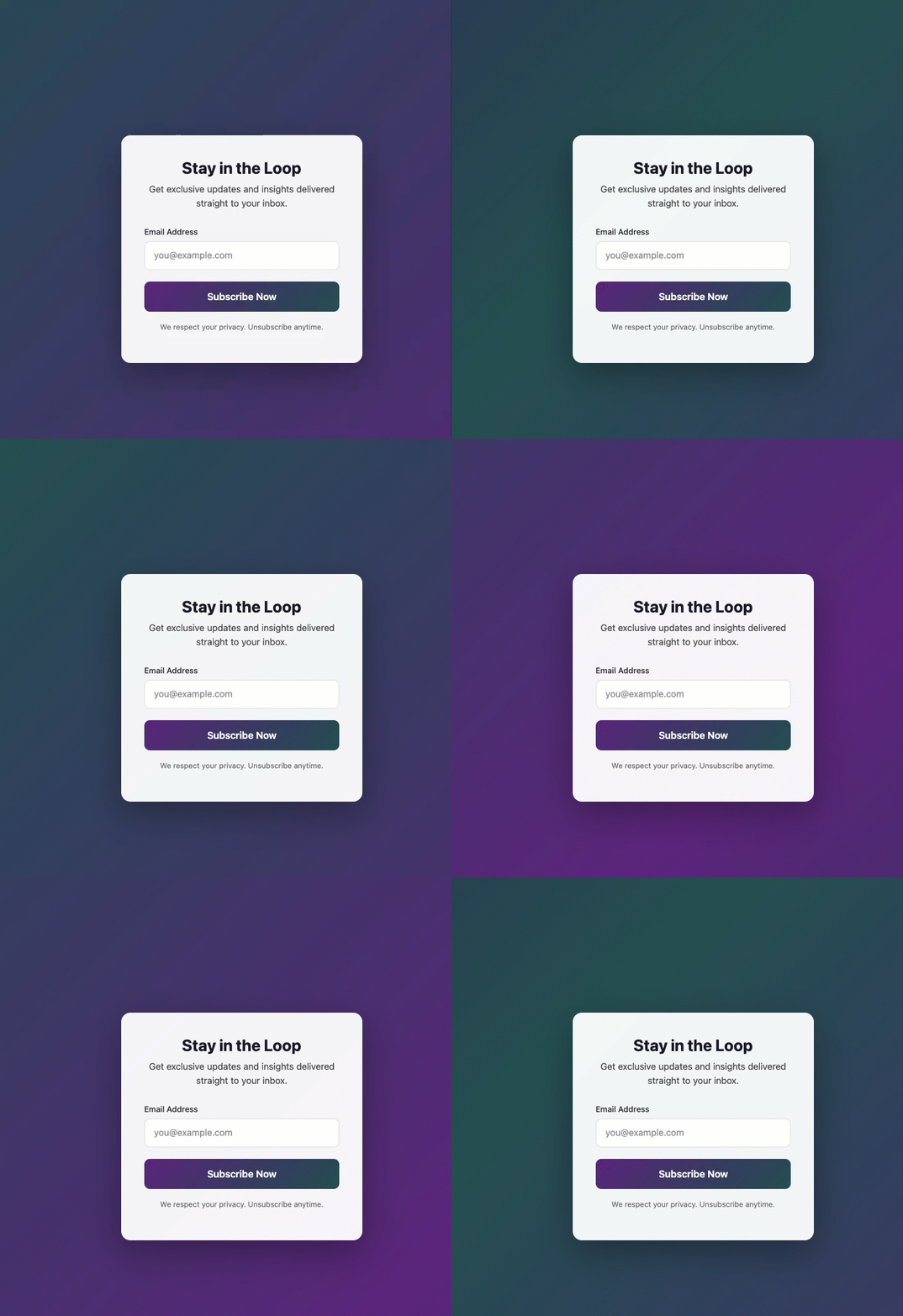
Animated Gradient Background
|
|
Use AI to Help Write Your Prompt
Not sure what to ask for? Tell the builder a little about your business and let it suggest a prompt for you:
"I run a small yoga studio that offers beginner classes on weekday mornings. Help me write a prompt for a signup form that would appeal to my audience."
Tips for Getting Great Results
-
Be specific: The more detail you give — colors, tone, audience, purpose — the closer the first result will be to what you want.
-
Iterate: Use follow-up prompts to refine. Try: "Make the headline bolder" or "Switch the background to dark mode."
-
Combine ideas: You can describe multiple features in a single prompt. The builder will incorporate all of them.
-
Preview before publishing: Always check how your form looks on both desktop and mobile before going live.
-
Don't overthink it: Even a simple prompt produces a real result. You can always improve it from there.
Prompts to Avoid
Most prompts work well, but a few common patterns tend to produce poor results or unexpected behavior. Here's what to watch out for:
Common Prompts to Avoid
-
Contradictory instructions: Asking for both a "minimalist" design and a large number of animated elements in the same prompt may produce inconsistent results. Prioritize your most important requirements, then use follow-up prompts to refine.
-
Overly long prompt blocks: Extremely lengthy prompts packed with dozens of requirements at once can dilute the output. Break complex requests into an initial prompt followed by short, focused follow-ups.
-
Requests for non-form content: The builder is optimized for signup forms. Prompts asking it to build landing pages, emails, or other content types outside of its scope will not produce the expected results.
Vague or Non-descriptive Prompts
Prompts that are too short or lack context leave the builder guessing. The result may technically be a signup form, but it won't reflect your brand, audience, or goals.
|
|
Avoid |
Try instead |
|---|---|---|
|
Too vague |
|
|
|
No context |
|
|
|
Missing purpose |
|
|
Pasting Code Directly into a Prompt
The AI Signup Form Builder is designed to interpret plain-language descriptions, not raw code. Pasting HTML, CSS, JavaScript, or other code directly into the prompt can occasionally cause unexpected results or conflicts.
If you have an existing design or stylesheet you want to reference, a better approach is to paste that code into a general-purpose chat tool (such as ChatGPT or Claude) and ask it to write a plain-language prompt based on your code. Then use that generated prompt in the builder.
For example, paste your code into ChatGPT or Claude and ask: "Write a plain-language form prompt that I can feed to an AI agent based on this code."
|
|
Avoid |
Try instead |
|---|---|---|
|
CSS Snippet |
|
|
|
HTML Snippet |
|
|
More Prompts to Try
-
"Add a background image of a mountain lake at sunrise and overlay it with a semi-transparent dark panel so the text stays readable."
-
"Add fields for first name, company, and phone number. Make the phone number field optional."
-
"Apply the tag 'free-guide' to anyone who signs up through this form."
-
"Make the copy feel playful and casual, like I'm talking to a friend."
-
"Create a dark mode form with neon green accents. Make it feel like a late-night hacker aesthetic."
-
"Add a short quiz before the email field — ask visitors what type of content they want and use their answer to apply a subscriber tag."
-
"Create a fullscreen popup with confetti that fires when the visitor submits the form."
-
"Make the form feel like a vintage postcard. Use a cream background, serif fonts, and a stamp graphic in the corner."