
Creating a well designed HTML message is easy to do using the HTML email templates.
If you have a website, the Smart Designer tool can be used to quickly create a template that matches your site’s branding.
Desktop
-
Within the Drag & Drop Email Builder, click the "Templates" button on the right. This will be located under your "Message Properties" section.
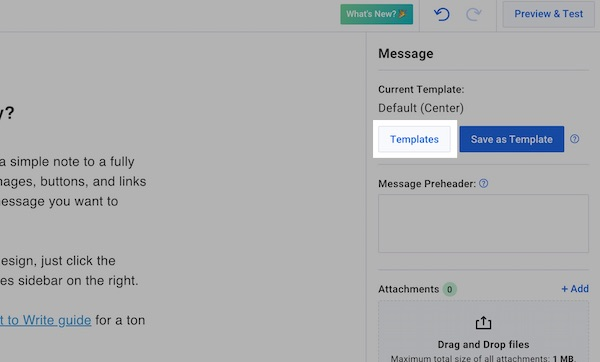
By default, you'll look through AWeber created templates, but if you've created templates of your own, you can switch to them by clicking the "My Templates" button.
-
Click the template you would like to apply to your message. Then, click the "Apply" button.
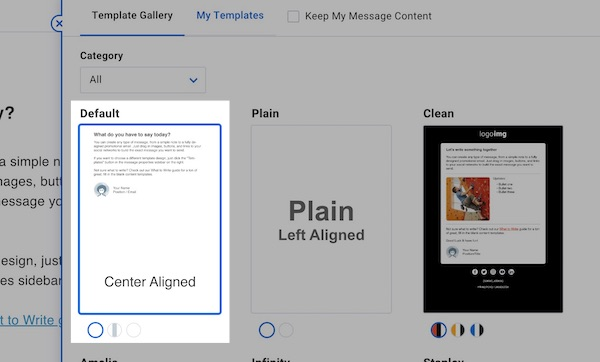
Note: If the “Keep My Message Content” checkbox is checked, this will force your current message content into the template. If you want to load in a fresh template, make sure to keep this option unchecked.

Mobile
-
Within the Drag & Drop Email Builder on mobile, click the ellipsis button located in the top-left corner beside the AWeber logo. Click on "Message Properties" to display additional settings. Tap on "Templates" to display the template gallery.
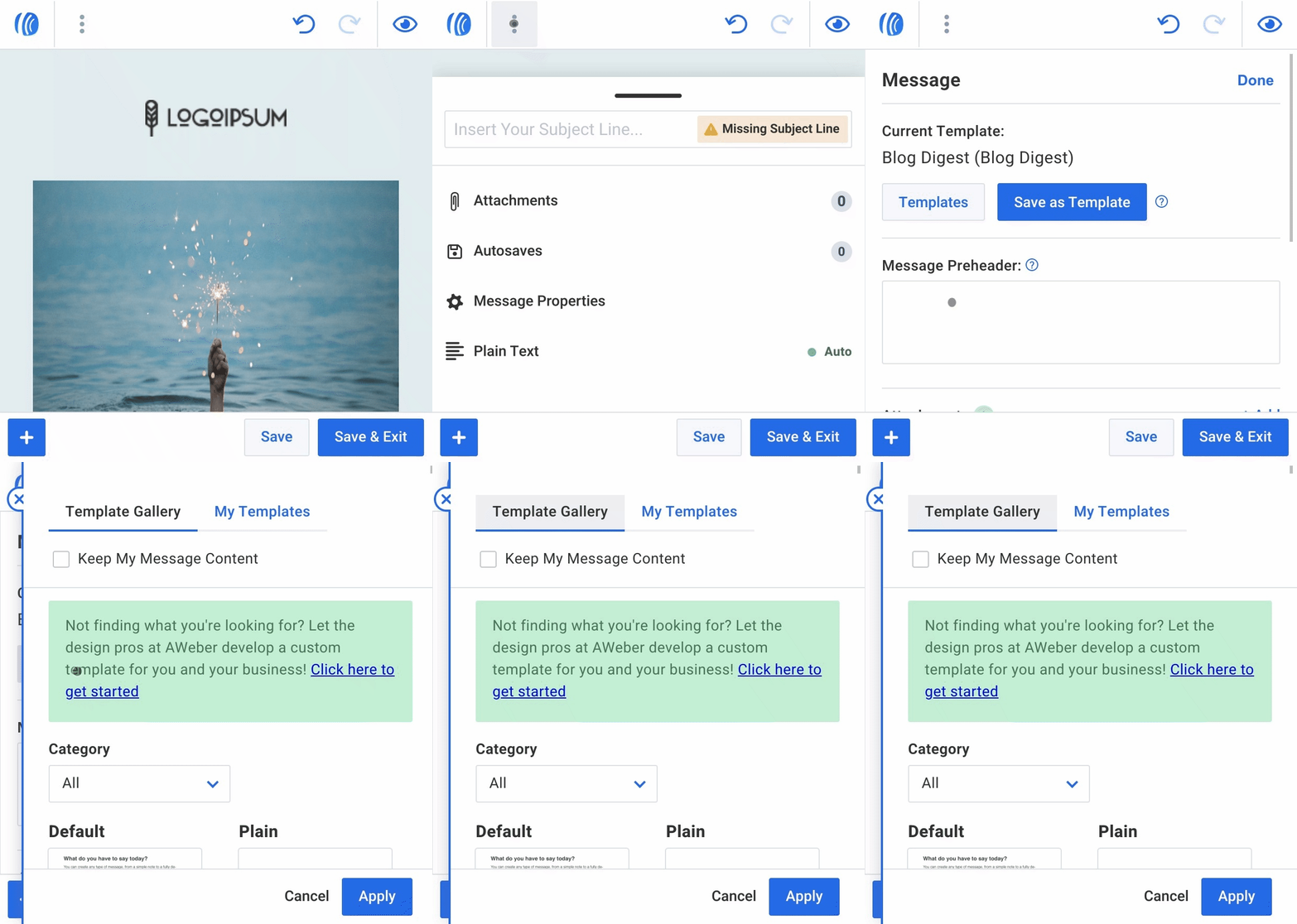
By default, you will see a selection of AWeber's pre-designed templates. If you have created your own templates, you can switch to them by tapping the "My Templates" button.
-
Click the template you would like to apply to your message. Then, click the "Apply" button.
-
If you'd like to erase whatever content you may have already placed in the message and start over with dummy content, simply uncheck the "Keep My Message Content" box before applying the new template.
Need help designing your messages?
AWeber offers hundreds of templates for you to use. If you need modifications to an existing template or a custom template built to reflect your branding, our Template Team is here to help. We're happy to modify existing templates or design a custom template tailored to your needs.
Ready to enhance your email campaigns with stunning designs? Reach out to our Template Team today!