
Clickfunnels is a service that enables you to create landing pages to help build your mailing list. While you will be able to create a sign up form within your Clickfunnels account, you may want to publish a form that you have created in your AWeber account instead. Doing so will allow you to utilize Tags with your Clickfunnels landing page.
In this article, we will review how to publish an AWeber sign up form to your Clickfunnels page using HTML.
Build your landing pages in AWeber: You can create landing pages right in your AWeber account with the AI Landing Page Builder, so you don't need a third-party service like Clickfunnels. Every page connects to your AWeber list automatically. Already have pages in Clickfunnels? Our free account migration service can move your existing pages to AWeber for you.
Step By Step Instructions
-
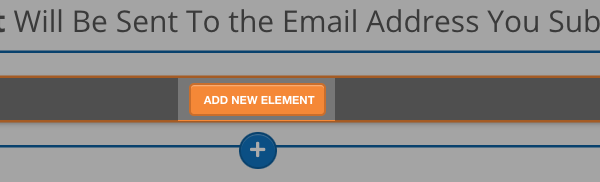
After creating your funnel, you'll first want to add a "Custom JS/HTML" element to your page where you'd like your form to appear. To do so, click "Add New Element" from within a row.
-
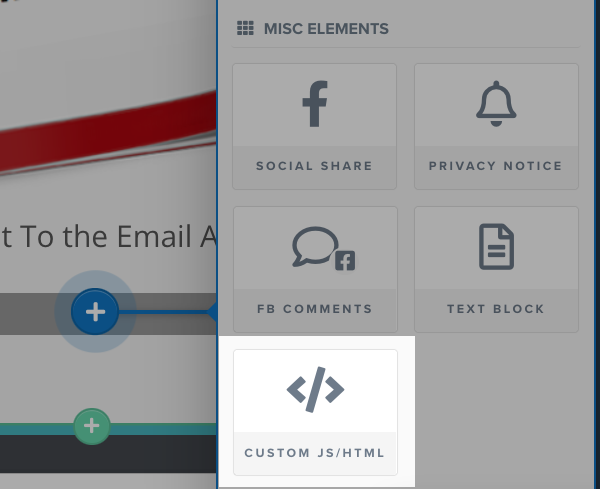
At the very bottom of the righthand sidebar menu that appears, click the "Custom JS/HTML" element.
-
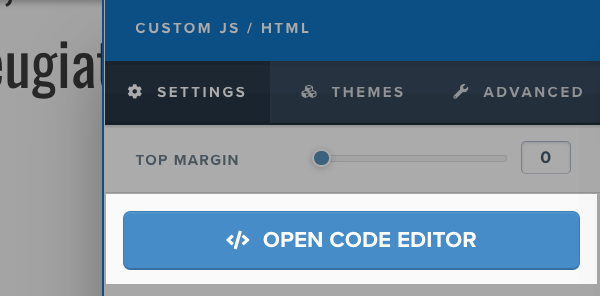
Once your element has been added to your page, click "CUSTOM JAVASCRIPT / HTML " text that now displays in that row to reveal the settings for that section. It will appear on the right side of the page. Make sure the "Custom Code Type" is set to "Regular HTML/JS", then select the blue "Open Code Editor" button.
-
Copy the HTML code from your AWeber account, and paste it into the empty space that appears. Once you've added your code, click the "X" to the top right of the code editor to close. If you're not sure where to find the source code of your sign up form, take a look at this Knowledge Base article here.
Note: You will not see your form appear after clicking the "X" to close the code editor. You'll need to preview your funnel in order to see your form appear.
Congratulations! You've successfully published a custom JS/HTML sign up form to your Clickfunnels page.
Using a Form from the AI Signup Form Builder
If you built your form with the AI Signup Form Builder, get your form code from the builder chat, then paste it into Clickfunnels using steps 1 to 4 above.
-
Click the "Sign Up Forms" tab and open your AI signup form.
-
In the chat, ask the builder for the HTML code of your form without styles. For example: "Give me the HTML code for this form without any styles so I can paste it into Clickfunnels."
-
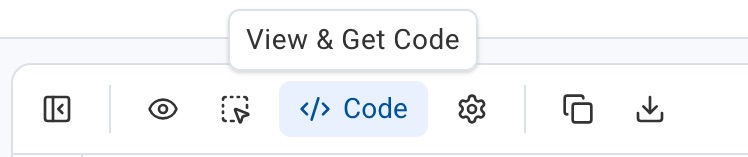
Click the "View & Get Code" icon at the top of the page.
-
Your form's HTML code displays. Copy it.
-
In Clickfunnels, paste the code into the "Custom JS/HTML" element code editor as described in step 4 above.
Note: Clickfunnels may not accept forms that include custom styles, animations, or scripts. Unstyled code gives you a basic form that you can style with Clickfunnels' own design settings.