
Personalization variables let you dynamically update text on your landing page based on values passed through the URL. This lets you greet visitors by name, match your headline to an ad, or tailor your page to a specific offer — all from a single page.
Step 1: Add a Personalization Variable to Your Page
Go to Landing Pages and open the page you want to edit.
Click on a text element and type your variable using this format:
{{url.parameter_name}}
For example, to display a visitor's first name, type {{url.first_name}} directly into the text element.
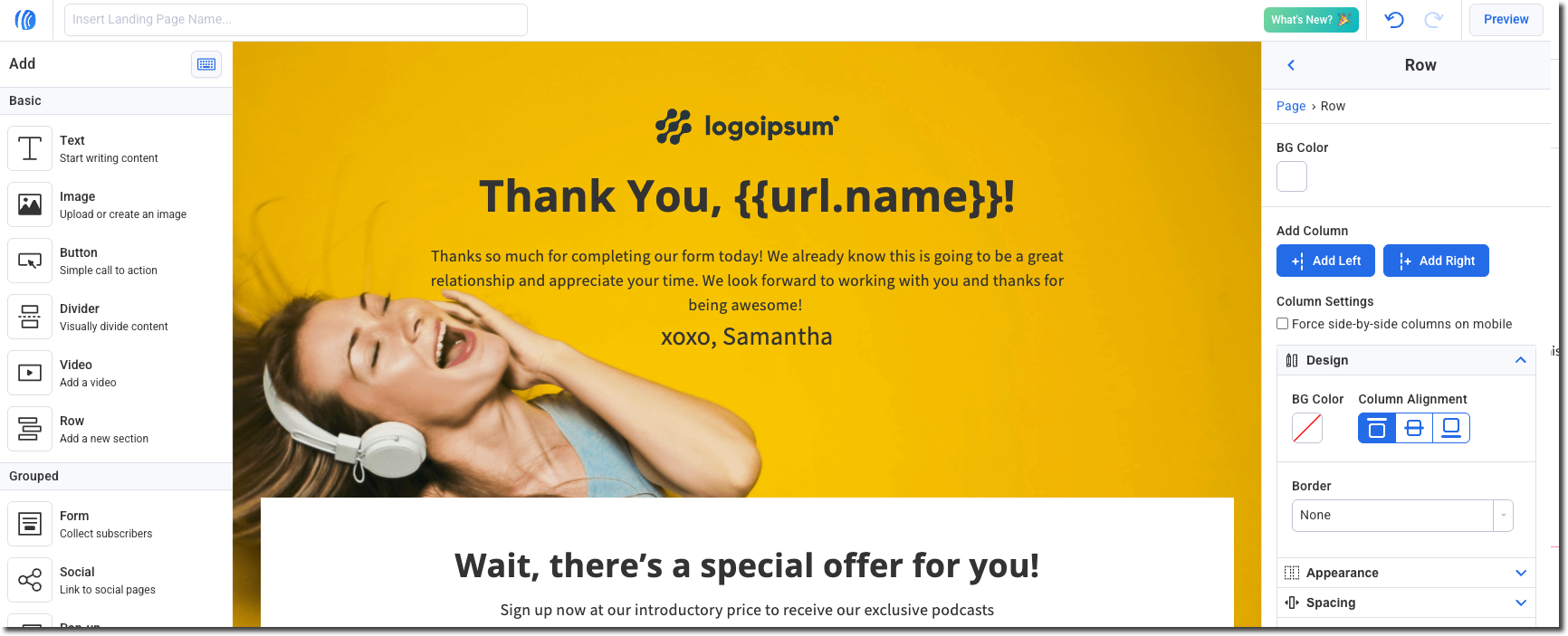
Note: If a visitor reaches your page without the URL parameter included, the variable markup will display as-is (e.g., {{url.first_name}}). Make sure to always send traffic to your page with the parameters included.
Step 2: Build Your Personalized URL
When sharing your landing page link, append your parameters as query strings. The URL parameter name should match the variable name you used, without the url. prefix.
Format:
https://[your-domain]/[page-path]?parameter_name=value
Examples:
-
https://yourdomain.com/free-guide?first_name=Sarah -
https://yourdomain.com/free-guide?first_name=Sarah&plan=pro
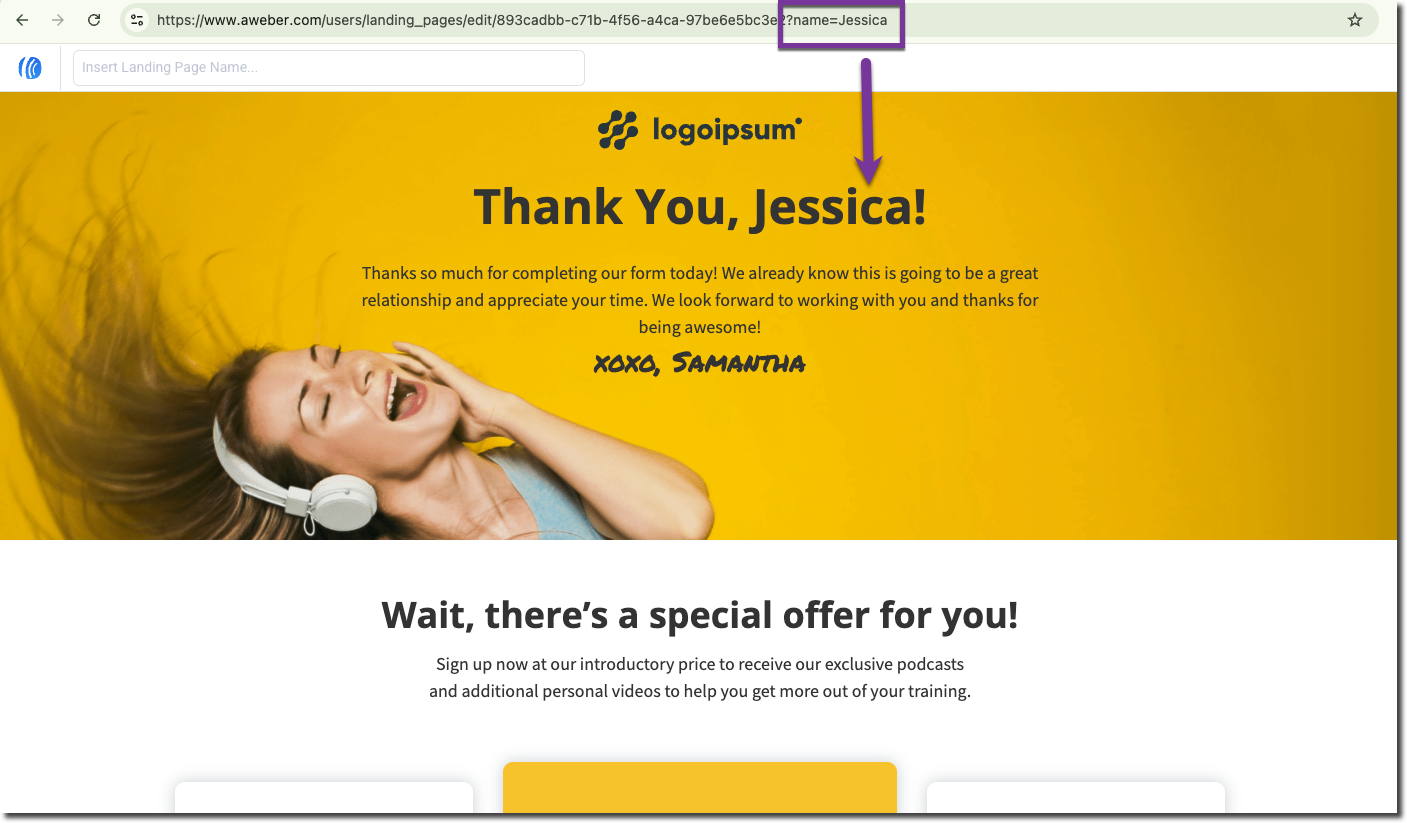
Use this link anywhere you're sending traffic — email campaigns, ads, or social posts.