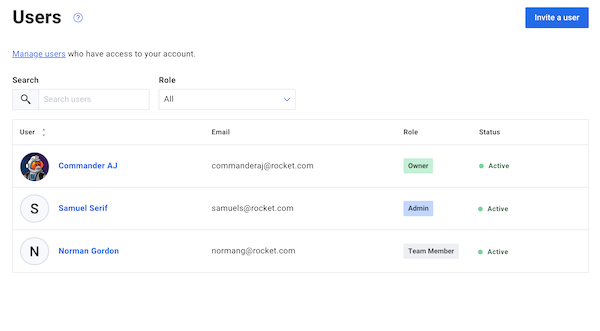
The Users management page allows you to add an unlimited amount of users to your account. There are three roles that you can assign to your users, with varying levels of account access.
User Seat Limits by Plan
The number of users you can add depends on your plan:
-
Free: No additional users. Only the account owner has access.
-
Lite: Up to 3 total users, including the account owner.
-
Plus, Pro, and Legacy plans: Unlimited users.
Need more seats? Upgrade your plan to add more users.
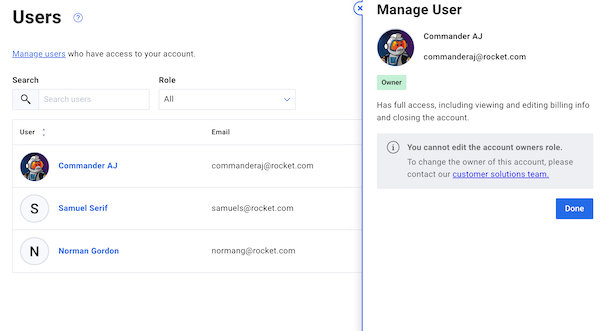
The owner has full access, including inviting new users, viewing and editing billing information, and closing the account.
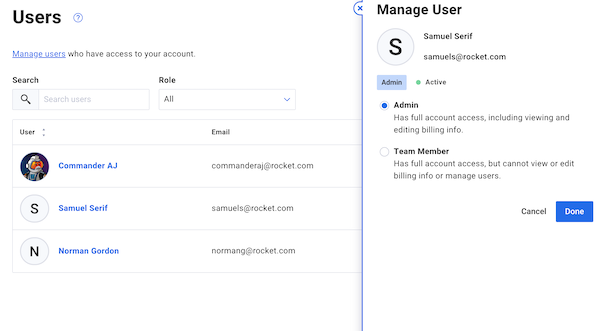
An admin role has full account access — including viewing and editing billing information and managing other users (with the exception of the owner's role). Admins can’t edit the existing plan or close the account* from within the account. *If you need to close the account or change plans, reach out to our Customer Solutions team for assistance.
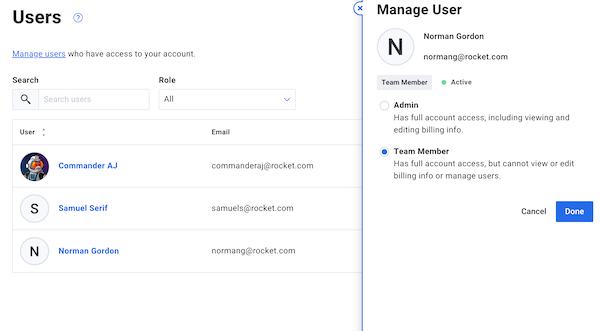
A team member has full account access, but cannot view or edit billing information or manage users.