
We automatically send you a receipt for each invoice via email. If you have deleted the receipt email, you still can view all your invoices in one place inside your account.
Should you need to verify your account or confirm billing information, invoices are accessible within the billing section of the account settings.
Step By Step Instructions
-
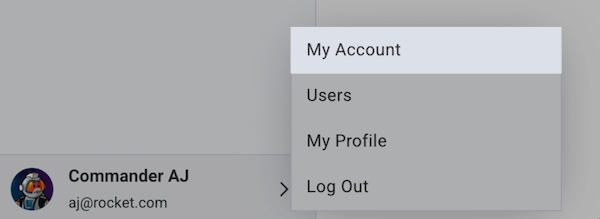
To access your billing section, click your user profile in the bottom left corner of your control panel and select My Account.
-
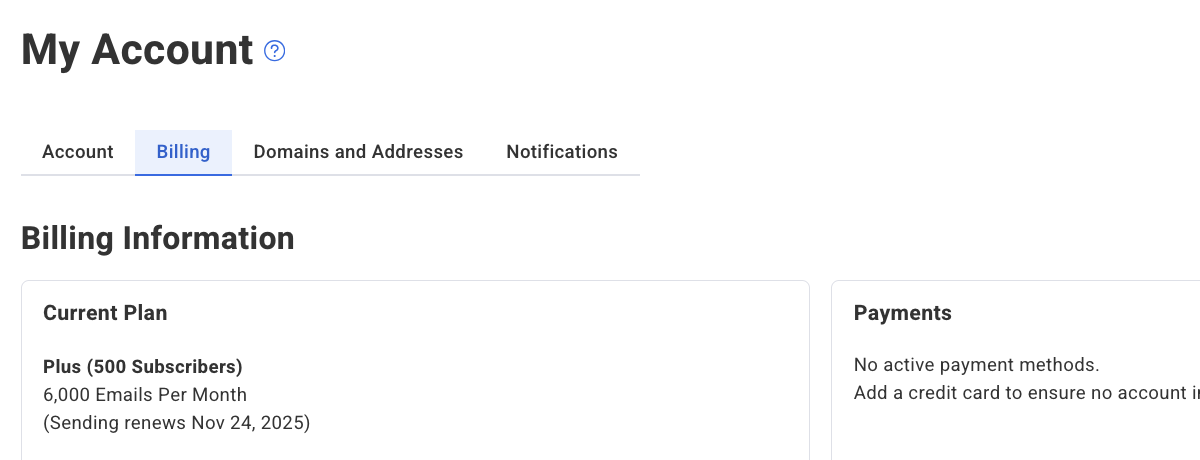
From the different sections provided, select Billing.
-
Scroll to the bottom of the Billing page. Hover over the desired invoice, and click the "View Invoice" link next to the invoice you want to examine in detail.
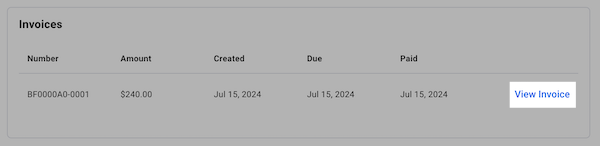
And that's it! Clicking "View Invoice" will download the invoice to your computer. You can then print your invoice from the downloaded file.