
Problems in your account should be far and few between. If you do run into trouble, we can help you get to the bottom of the issue and help resolve the problem experienced. To start, we will begin with troubleshooting some common problems that may be experienced.
Why is my form reporting an error?
When you test or a subscriber uses your sign up form, an error may be reported:
An error message received when using a sign up form can be due to a few reasons. The error message provided will generally reflect the problem existing with the sign up form. Fortunately, common error messages from sign up forms can be fixed by making some adjustments.
Why is my message going to spam?
Once your message gets through to the ISP, the ISP will subject the message to content filters to help determine whether to put it into an inbox or another folder. How an ISP filters message depends on a lot of different factors, like the content and subject line of the message, the reputation of your from address domain, and how subscribers have interacted with your messages in the past.
Having trouble logging in, receiving the "Session Expired" notification
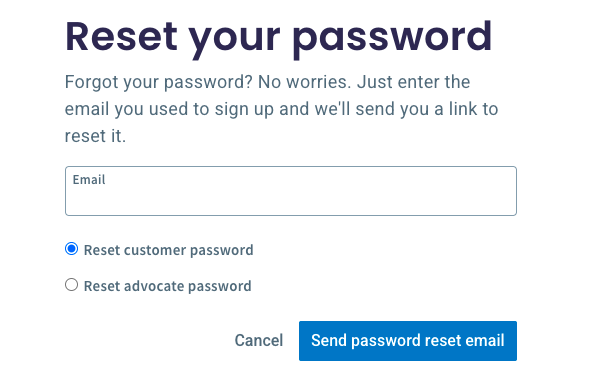
When trying to log into your account, there could be an issue occurring behind the scenes of your browser preventing you from successfully logging into your account. There are steps you can take to troubleshoot log in issues such as clearing the cookies on your browser, switching browsers, or resetting your password. You can reset your password on the AWeber homepage.
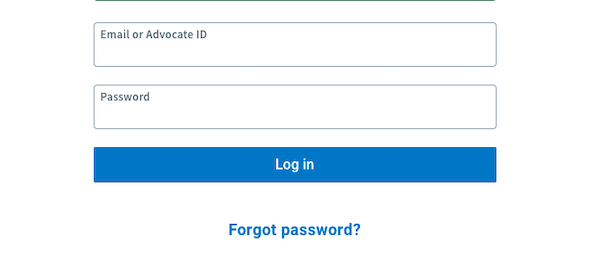
Then, enter the email address you purchased the account with, make sure that "Reset Customer Password" is selected, and click Search.
Browser translation tools causing errors
If you're experiencing frequent error messages when creating landing pages or making changes in your account, browser translation extensions may be the cause. AWeber currently supports English only, and translation tools can interfere with the platform's functionality.
**Common symptoms**: Error screens when creating landing pages, frequent "something went wrong" messages, needing to refresh pages repeatedly, or having to repeat actions multiple times.
**Solution**: Disable any browser translation extensions or plugins (such as Google Translate, Microsoft Translator, or similar tools) while using AWeber. This should resolve the compatibility issues and allow normal functionality.
Contact Us!
If you need any assistance or have any questions, don't hesitate to connect with one of our email experts. Our Customer Solutions team is standing by to help.
Phone
Available Monday - Friday from 8:00AM - 8:00PM ET
Toll Free (Within USA): 1-877-293-2371
International: +001 215-825-2196
Note: Saturday to Sunday we are available for Live Chat and Email support.
Ticket and Chat Support
Available 24/7