
In this article, we will review how to update the email addresses you receive invoices to.
Step By Step Instructions
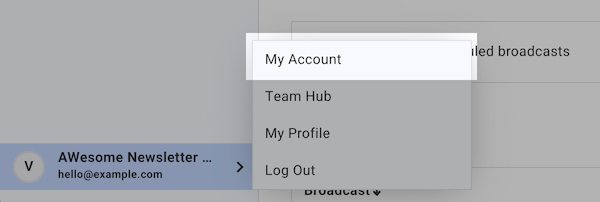
1. Click on the account profile at the bottom-right corner of your account. Then, click "My Account."
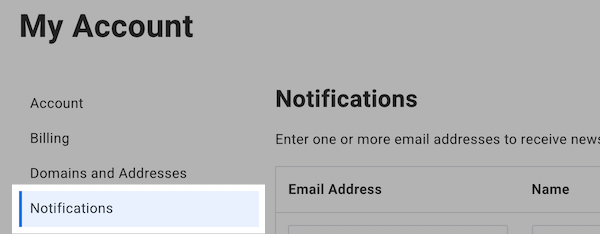
2. Click on "Notifications" from the left hand side of the page.
Here, you'll see your email address with two checkboxes to the right of it.
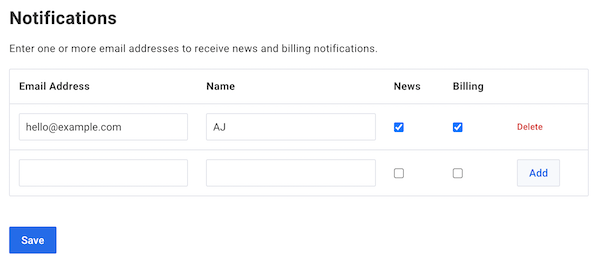
Any address with the "Billing" checkbox marked next to it will receive email invoices.
3. Edit your address, or add a new address and mark the "Billing" checkbox, then press "Save."
And that's it! You can update your Notifications settings at any time within your account.