
Export All
The easiest way to get a copy of your subscribers is to use the Backup Data feature. This will generate a compressed zip file copy of all your subscribers and messages in all of your lists. It generates in the background and emails you when it’s available for download inside your account.
Export Just Subscribers
If you prefer, you can use the export feature on the "Subscribers" page to export individual lists of subscribers.
Step By Step Instructions
-
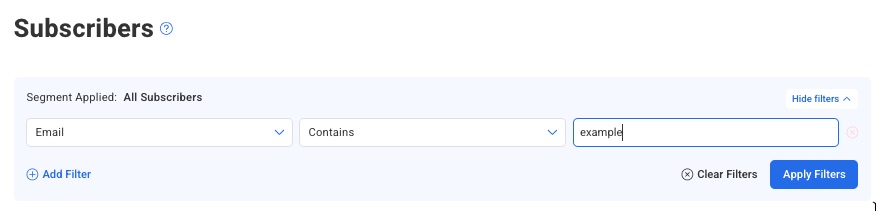
Go to the Subscribers page in your account. You'll see all of the subscribers in your list on this page. You can also search for a subset of the list using the filter menu before searching. In the example below, we’re searching by email address:
-
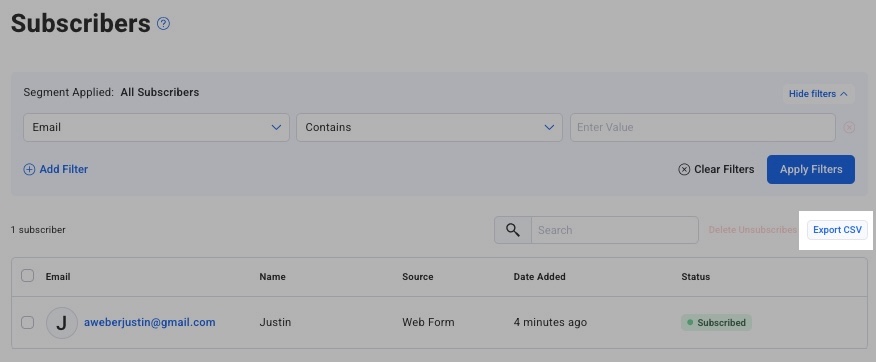
Once your list of subscribers appears, click the "Export CSV" button to download a spreadsheet with all their information.
-
That's it! You've now successfully exported your subscribers!