
You can create a segment of subscribers based on the geographic data that we collect based on your subscribers' IP address that is captured when they are added through a sign up form.
Step By Step Instructions
-
Under the "Subscribers" tab, choose "Subscribers. Then, from the filters menu at the top, choose what you would like to search by. You can choose to search for location via IP address using several of the options in this menu.
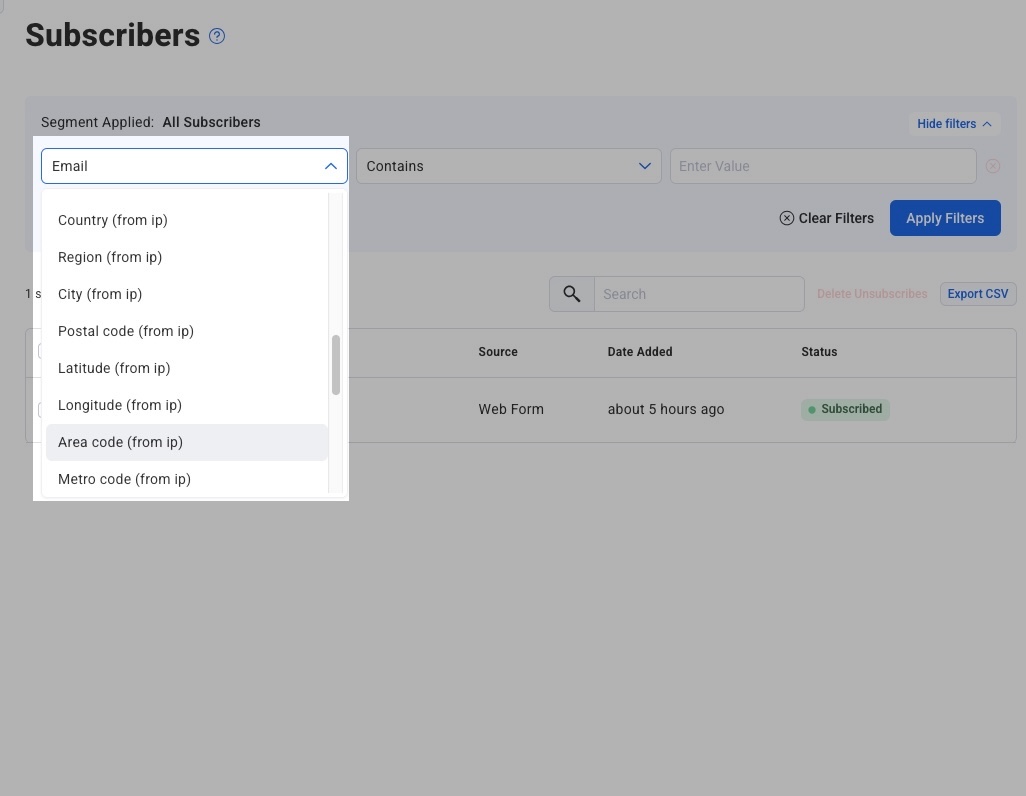
Once you've entered your search criteria, hit "Apply Filters."
-
The list of subscribers in that area will appear below.
To save this segment for later use, perhaps to send a broadcast to, simply give the segment a name and click "Save Segment."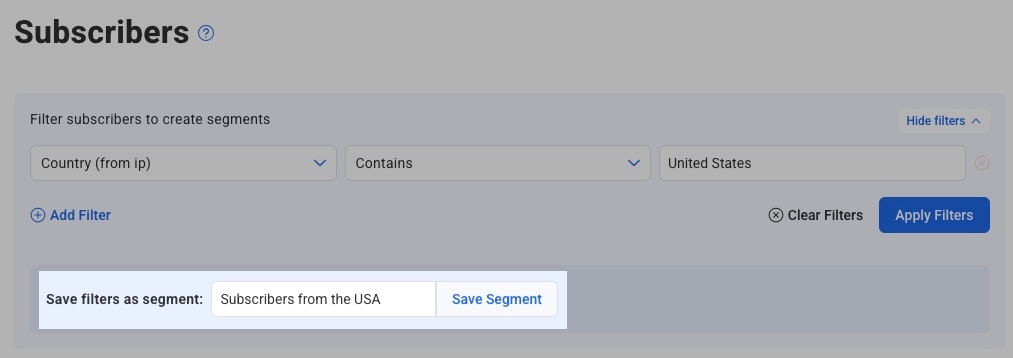
Note: IP addresses will be more accurate if you search by country or region vs city - wider ranges are better!