
The Subscriber Details panel shows a breakdown of the devices and email clients a subscriber has used to open your messages. This can help you understand how your subscribers are reading your emails and inform design decisions for future campaigns.
How To View a Subscriber's Device and Client Usage
Step 1: Open the Subscriber Details Panel
-
Go to the "Subscribers" page to view your list. Click on the email address of the subscriber you'd like to view device and client usage for.

Note: You can also search for a specific subscriber.
-
In the top right of the subscriber's information, you will find the "Device & Client Usage" section.
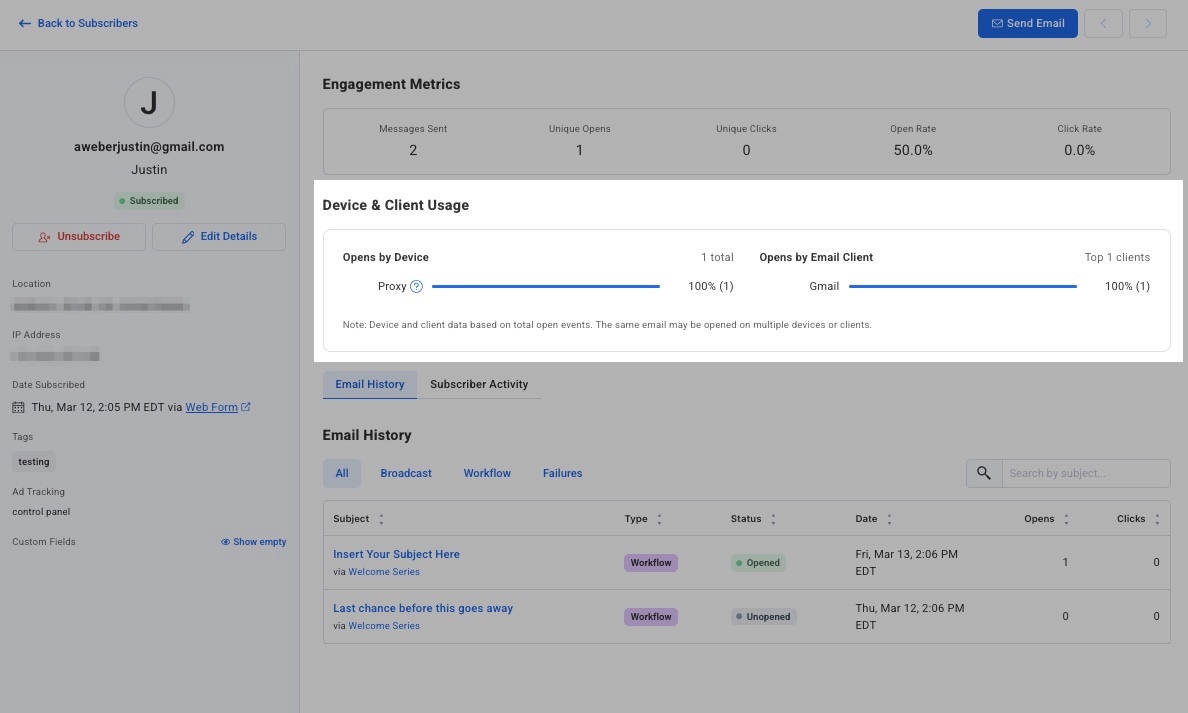
Here you will see a breakdown of the types of devices (such as desktop, mobile, or tablet) and email clients (such as Gmail, Apple Mail, or Outlook) the subscriber has used to open your messages.