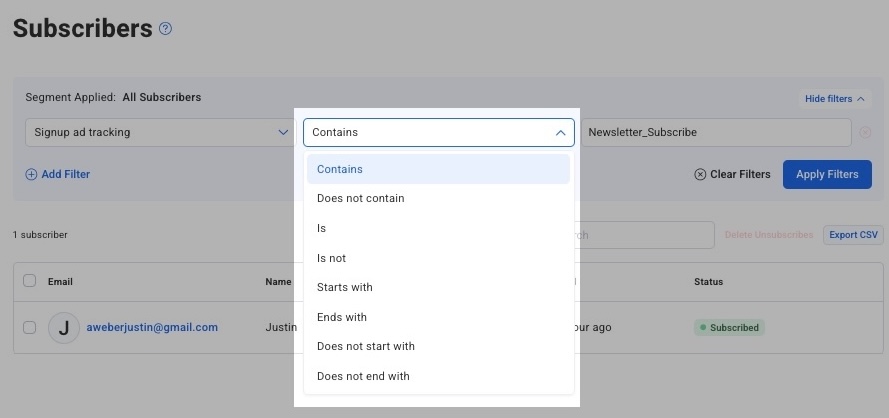
You can search for subscribers who have signed up to a particular sign up form using Ad Tracking.
To View Ad Tracking Variables
-
Go to the "Sign Up Forms" page. Select a form by clicking the title of the form.
-
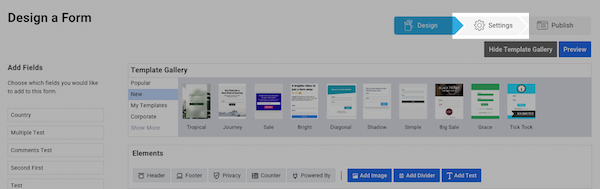
Click over to Settings on the Design a Form page.
-
Select "Show Advanced Settings" on the "Form Settings" page.

-
View the Ad Tracking value for the form. Copy this value to your clipboard or take note of this value to later use it for subscriber searches.
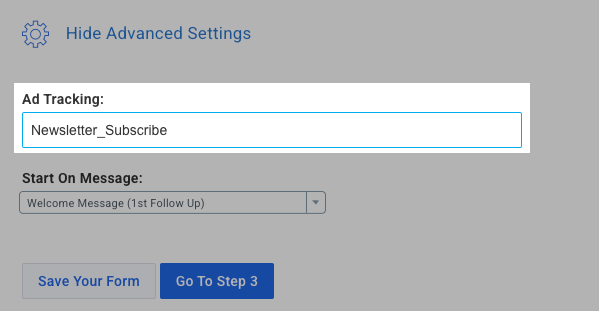
You can also edit the Ad Tracking value as desired. By default, the value will be reflective of the Form Name*.
Search Subscribers with Ad Tracking
-
Access the "Subscribers" tab.
-
Using the filter menu at the top, select "Ad Tracking," then "contains," then enter your Ad Tracking value.
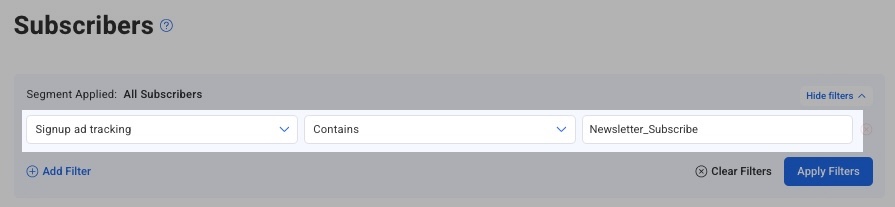
Click "Apply Filters" to view subscribers who match that value. You can also use change "contains" to another condition.