
If you'd like to send a message to only the people who opened a previous message of yours, it can be done in just a few steps.
Step By Step Instructions
-
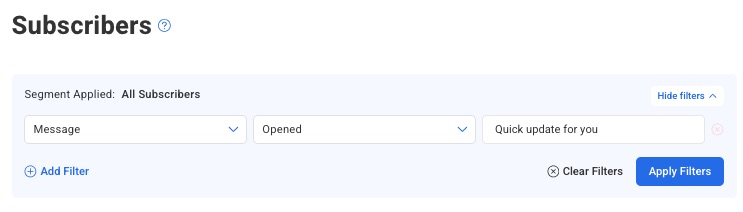
On the subscribers page, select "Message" from the filter menu at the top of the page and select “Opened” in the second dropdown. Then, select your message.
-
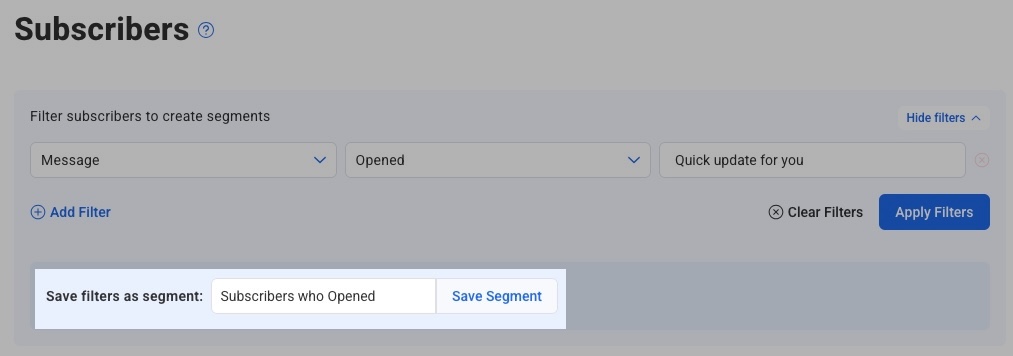
After you click "Apply Filters", all subscribers who have opened that message will be displayed below. You can save the search as a segment here.
-
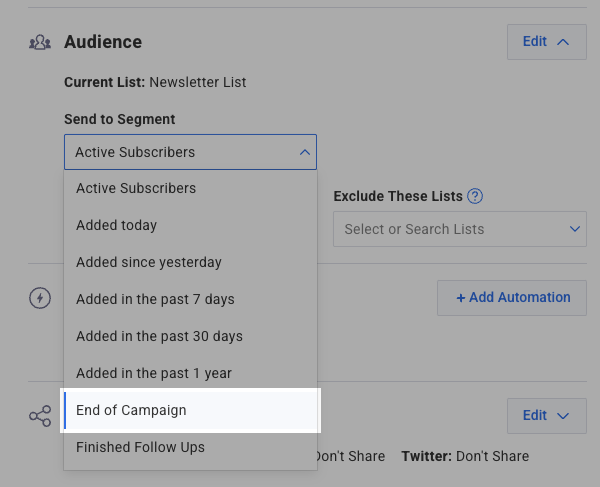
Now, when creating your broadcast, under the "Audience Segment" section, click the "Edit" button.

-
From the drop-down box that will appear, you can choose your saved segment.
-
Now, when your broadcast is sent, it will go out to everyone who opened the message selected from your segment.