
You can use the subscriber search filters to find subscribers who were or were not sent a specific message, save those results as a segment, and then send a broadcast to that segment.
Step 1: Search for subscribers by message send status
-
In your AWeber account, navigate to the subscribers page.
-
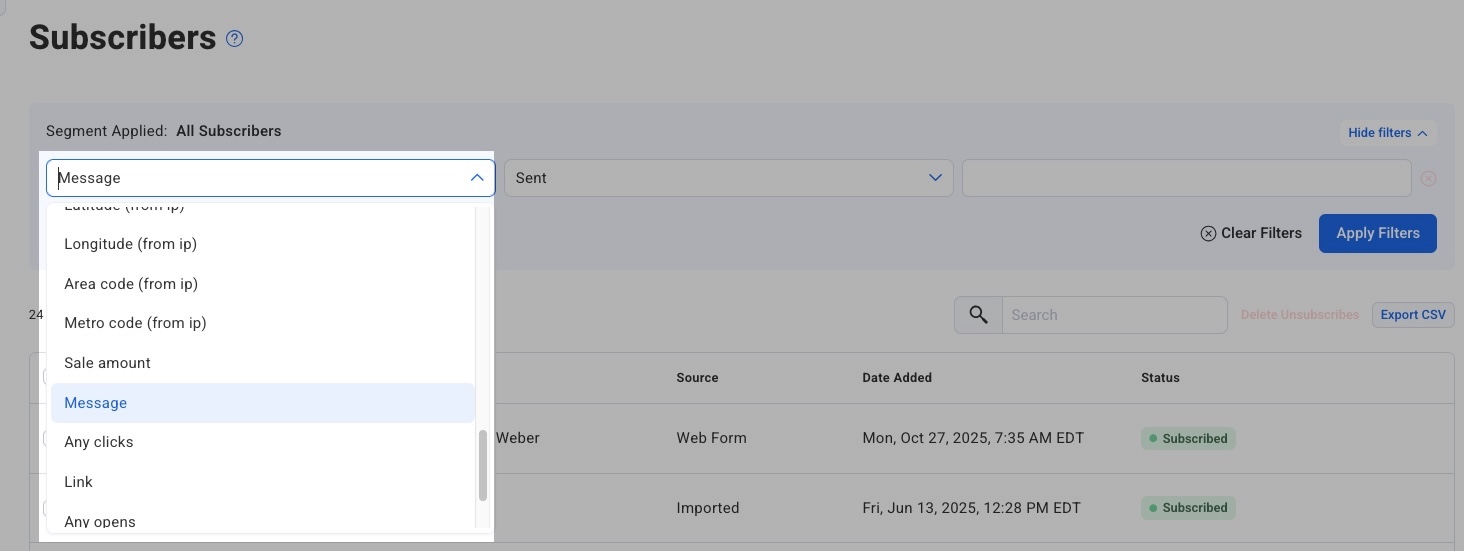
In the filter section at the top of the page, select "Message" in the first dropdown.
-
In the second dropdown, select "Not Sent" to find subscribers who did not receive the message.
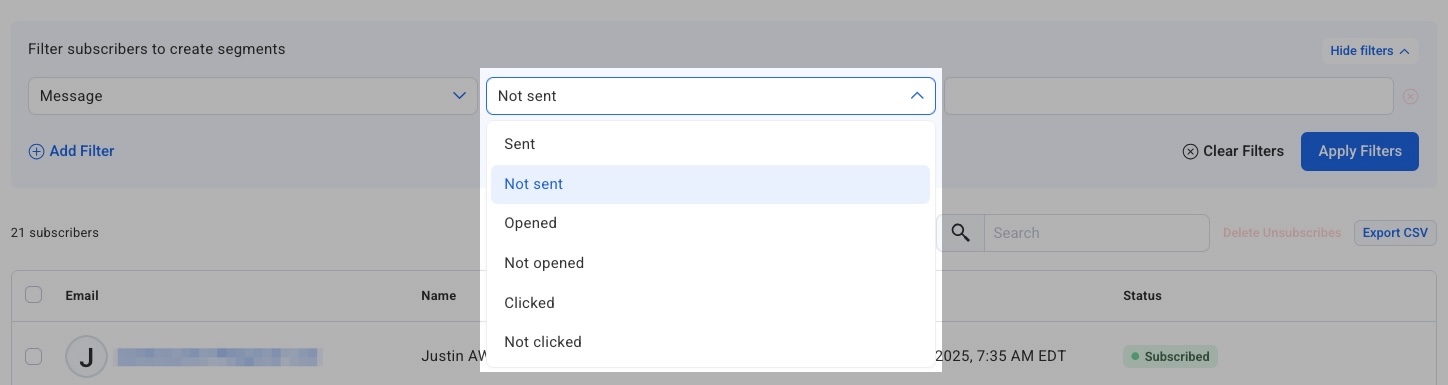
Note: if you want to find subscribers who were sent a specific message, use the “Sent” option to view those subscribers.
-
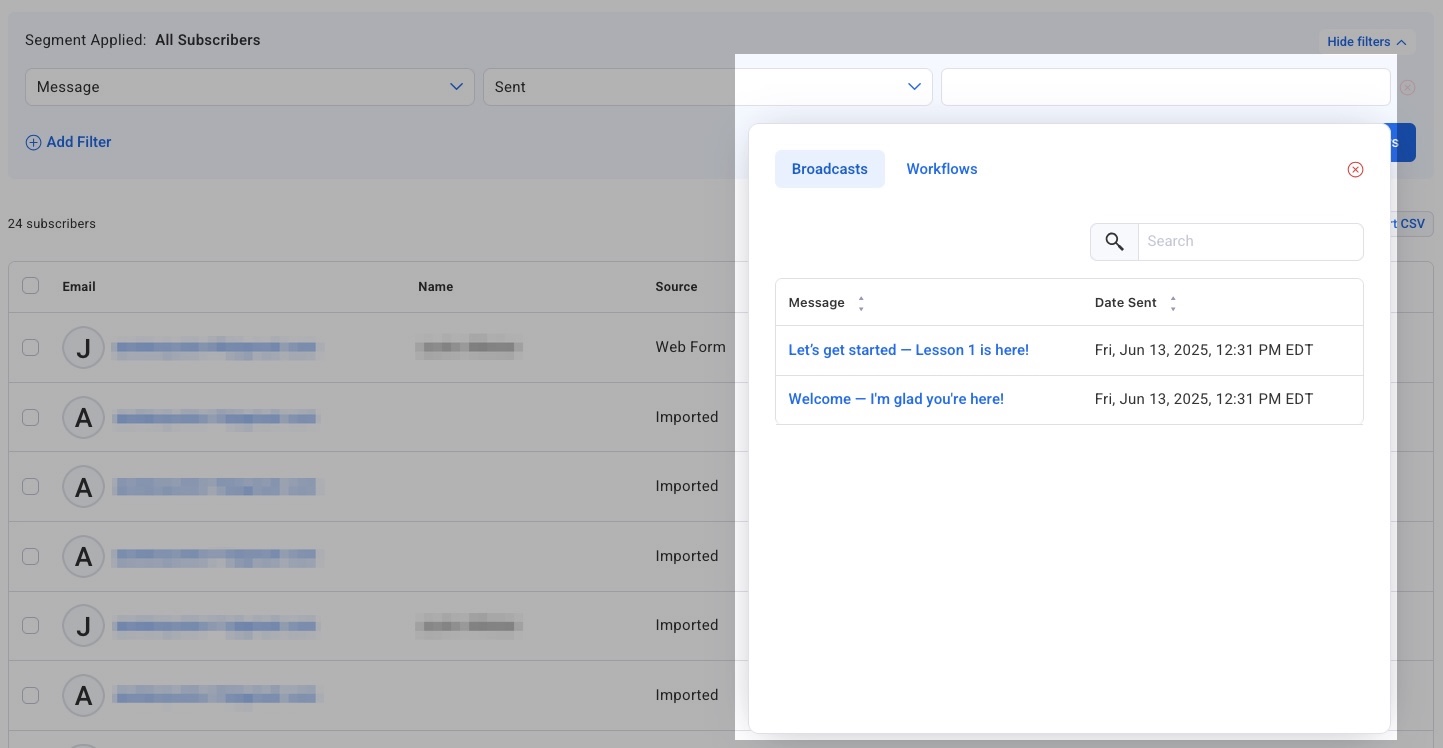
Click on the third field, and select the specific message you want to filter by in the pop-up window. You can select either a broadcast message or a workflow message.
-
Click "Apply Filters" to view the results.
Step 2: Save the search as a segment
-
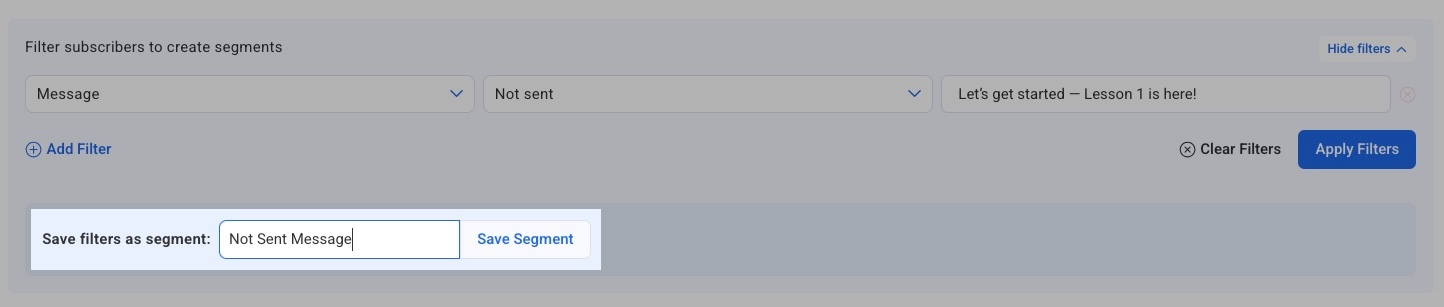
After your filter results appear, there will be an option to save your filters as a segment. Enter a name for your segment, and then click “Save segment.”
Step 3: Send a broadcast to the segment
-
From the Drafts page, like if you were sending a normal broadcast, click "Schedule."
-
Under the "Audience" section, click the "Edit" button. From the "Send to Segment" dropdown box that will appear, you can choose your saved segment.
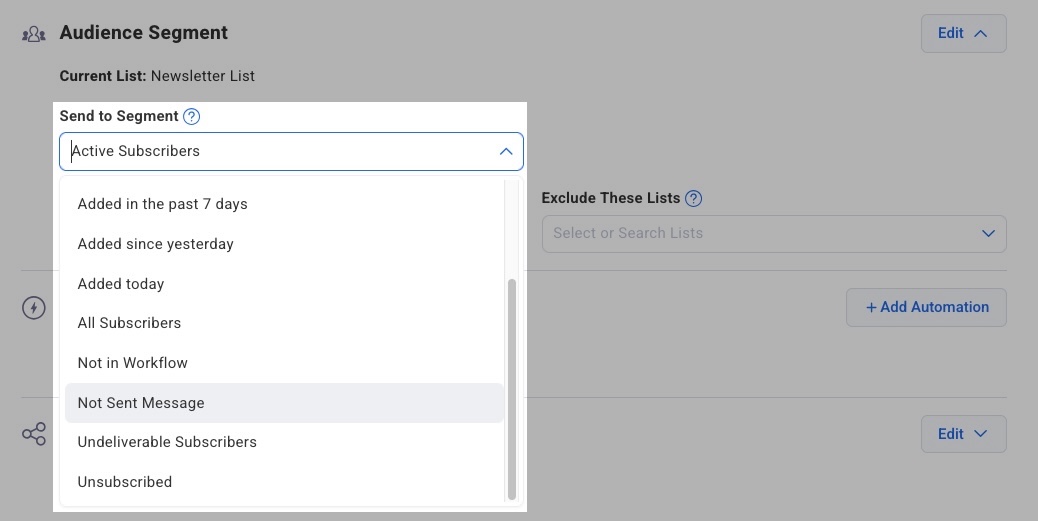
Once you make any other changes to scheduling and social sharing, you can schedule your broadcast as usual.
Note: If sending to a segment and also including additional lists, that segmenting rule will be applied to those included lists too; only people on the included lists that match the criteria of the segment you selected would get your message. If you do not include other lists, the message will only go to subscribers in the segment you selected in the list you're scheduling the message from.