
Blogger is a service where you can create your own blog through a variety of different template options they provide. Having your own blog will allow you to publish information regarding your business or campaign. When you have your own blog, you'll want readers to sign up for your email list so they can receive further information about your business or campaign.
AWeber makes it easy to publish a sign up form on your Blogger site that allows readers to sign themselves up for your list!
Step By Step Instructions
-
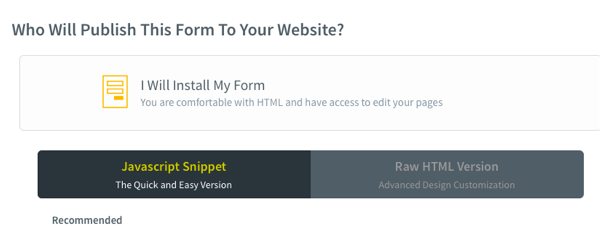
If you haven't done so already, you will need to create your sign up form in AWeber. Once created, copy the coding of your sign up form. Both the Javascript Snippet and Raw HTML coding of the form will work.
-
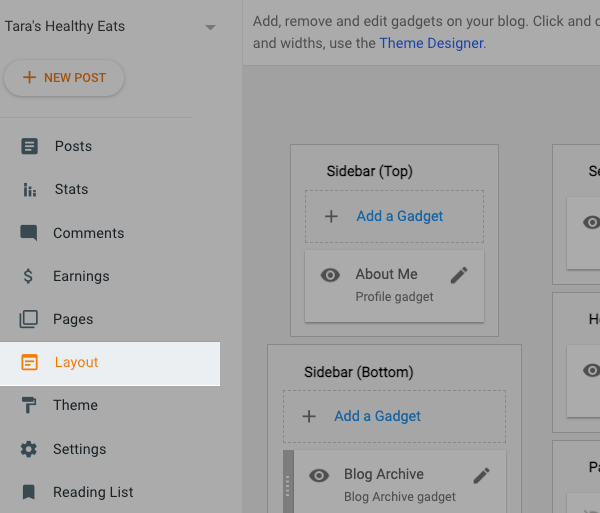
Once logged into Blogger, click "Layout" on the left hand sidebar.
-
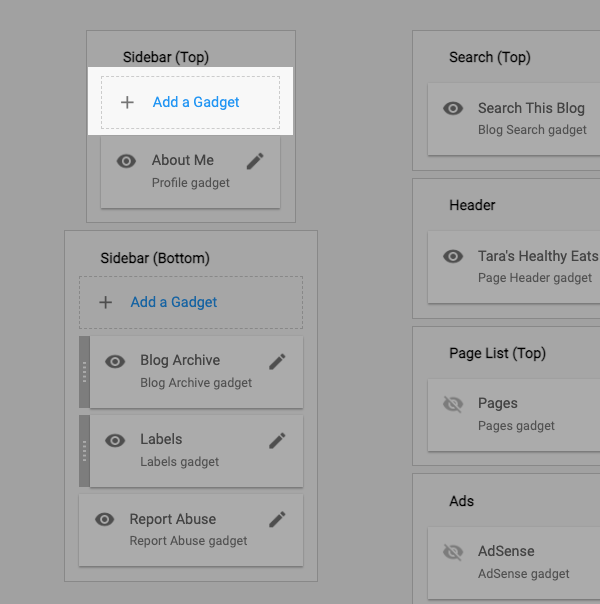
Click "Add a Gadget" link. You can add a gadget to the Top or Bottom sidebar of your blog.
-
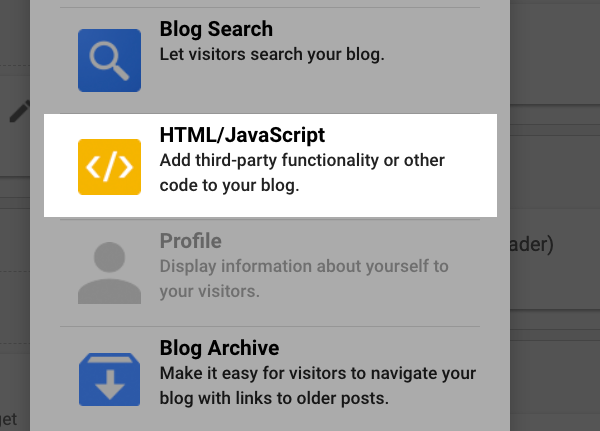
A window will pop up for the available gadgets. Scroll through until you find the HMTL/Javascript Gadget available. Click the plus symbol to add it.
-
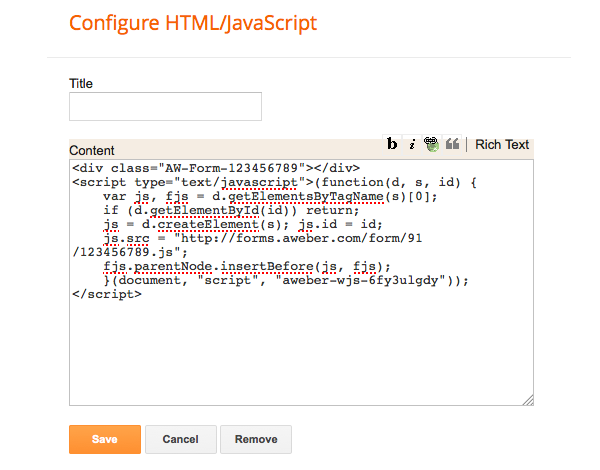
A window pops up for you to paste in your sign up form coding. Paste in your coding and click "Save".
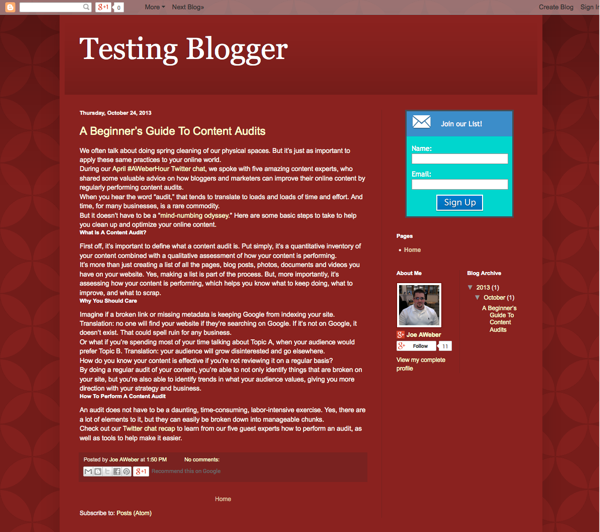
That's it! Now when you publish your Blogger site, your AWeber sign up form will be published so readers can sign themselves up for your mailing list.
Adding an AI Signup Form to Your Blogger Site
If you've created an AI Signup Form in AWeber, you can add it to your Blogger site by installing a JavaScript snippet in your theme's <head> tag. Once installed, all of your AI Signup Forms will work automatically; no additional code is needed per page. Display frequency, targeting, and other settings are managed from the AI Signup Form's display settings for each form.
Step 1: Get Your JavaScript Code
In your form's settings, add your domain name and copy the JavaScript snippet.
Step 2: Add the JavaScript to Your Blogger Theme's <head>
Blogger does not have a built-in header code field, so you will need to add the snippet directly to your theme's HTML:
-
In your Blogger dashboard, go to Theme > Edit HTML.
-
Use Ctrl+F (or Cmd+F on Mac) to find the closing
</head>tag. -
Paste your JavaScript snippet just before the
</head>tag. -
Click Save theme.
Step 3: Configure Your Form's Display Settings
Once the JavaScript is installed, your AI Signup Forms will display based on the AI Signup Form's display settings in AWeber. You can control how often the form appears, which pages it shows on, and other behavior directly from your form's publish settings -- no additional changes to your Blogger theme are needed.
Heads up: Editing your theme's HTML directly will affect all pages on your Blogger site. If you switch or reset your theme in the future, you will need to re-add the JavaScript snippet.
Form not showing up? Try a hard refresh in your browser (Ctrl+Shift+R on Windows/Linux, Cmd+Shift+R on Mac) or test in a different browser. Caching can sometimes delay the form from appearing immediately after installation.