
With Email Web Analytics and Sales Tracking features, you can capture your about subscribers' actions when they visit your website. While our default sales tracking tools are powerful, some users may want to dynamically record a sale event—especially if customers will be purchasing many products.
Note: This feature is not accessible on AWeber Free. Upgrade to AWeber Plus to unlock this feature and many more within your account or by contacting our Customer Solutions team.
To be able to properly track page visits a cookie is required. To receive this cookie, a subscriber will need to first visit the page through a link in the email. Once a subscriber has received this cookie, we can track a page visit regardless of where a subscriber came from. If a subscriber does not have this cookie, we won't be able to track their page visit.
Using URL Profiles
Using custom URL profiles, you can use a query string to specify the details of each page hit.
If you are not sure what this means, or why you would want to do this, you might want to first look into our Sales Tracking feature or simply show this page to your web designer.
-
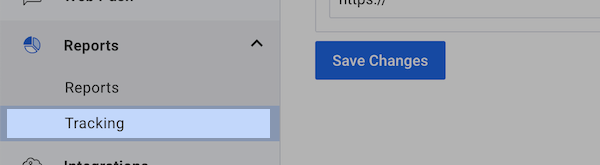
Under the "Reports" tab, click "Tracking."
-
Scroll down to "Sale Tracking" and click the "Default" link under the URL Profile column.
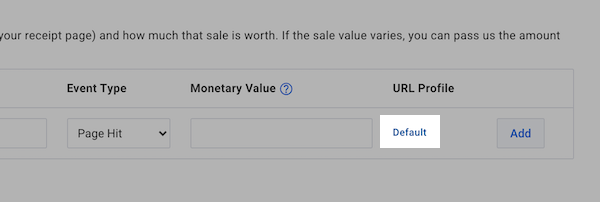
Note: If you have not done so already, you will need to set up basic Sales Tracking first.
-
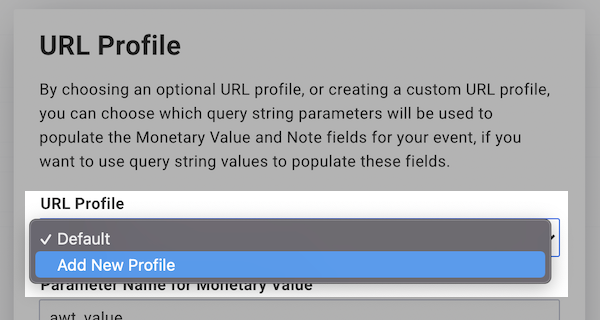
From the drop-down menu, choose "Add New Profile." Then, some new fields will appear.
-
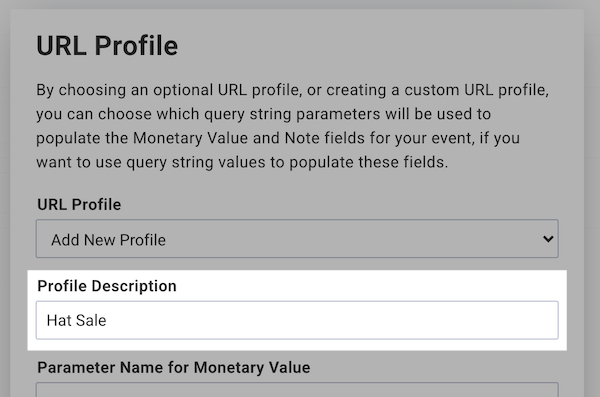
In the "Profile Description" field, give this profile a name (this is just for your reference).
-
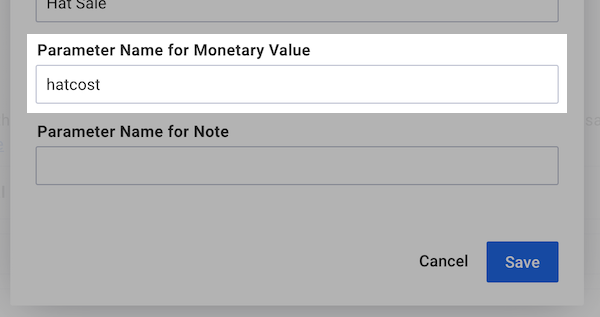
In the next field, enter the parameter that will set the monetary value of the sale.
-
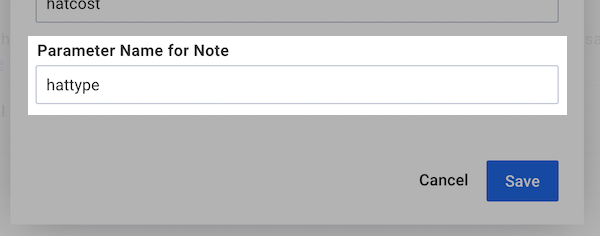
Finally, enter the name of the parameter that will provide the note for the sale (for instance, the name of the item that was sold).
-
Once you're done, save your URL Profile, then click "Save" back on the "Settings" page.
In this example, the monetary value parameter was "hatcost" and the note parameter was "hattype," so if someone was sent to my order confirmation page with this URL:
"http://www.example.com/order.htm?hatcost=19&hattype=sports"
The sale would be recorded as worth $19 and being a sports sale.
Without Using URL Profiles
You can also use a little bit of Javascript to tell your analytics to use custom values for your sales tracking.
Simply copy the Javascript below and place it on your order confirmation page above the other AWeber analytics javascript.
<!-- AWeber Analytics Customization Code --> <script type="text/javascript"> var awt_value='MONETARY VALUE'; var awt_note='SALE DESCRIPTION'; </script> <!-- end AWeber Analytics Customization Code -->
Have your order system insert the appropriate values to replace "MONETARY VALUE" with the value of the sale, "SALE DESCRIPTION" with the note (such as the name of the product that was sold).
Troubleshooting: When Dynamic Values Aren't Working
If your dynamic values aren't tracking correctly despite proper setup, check these common issues:
Issue 1: Default Value Overrides Dynamic Value
Problem: AWeber tracks your default Monetary Value instead of the dynamic parameter value.
Solution:
-
Edit your Sales Tracking goal
-
Clear the Monetary Value field (leave it blank)
-
Ensure "Parameter for Monetary Value" is set correctly
-
Save your changes
Note: Leaving Monetary Value blank will not default to $0. AWeber will use the value from your URL parameter.
Issue 2: URL Profile Not Recognizing Parameters
Problem: Dynamic values still not tracking after clearing Monetary Value.
Solution:
-
Create a custom URL Profile instead of using "Default"
-
Navigate to Reports > Tracking > Sales Tracking
-
Click the URL Profile link, select "Add New Profile"
-
Configure your parameter name and save
-
Assign this profile to your goal
Issue 3: Parameter Format
Problem: Intermittent or failed tracking.
Check:
-
Parameter name matches exactly (case-sensitive):
awt_valuenotAwt_Value -
No extra spaces before or after parameter name
-
Correct URL format:
https://site.com/page/?awt_value=37.00
Understanding URL Profiles and Query Parameters
URL Profiles tell AWeber how to read values from your tracking URLs.
Why they matter:
-
The Default profile may not prioritize query parameters over static values
-
Custom profiles ensure your parameters are recognized and applied correctly
Best practice: When using dynamic sales values, create a custom URL Profile. This ensures reliable tracking of your dynamic monetary values.