
To effectively market yourself, you will want to send valuable content to a list of interested subscribers that you have built. You may already have a list of subscribers that you need to import into your account, a few subscribers you needed to manually add, or you may be looking to manage the subscribers already on your list.
Importing Subscribers
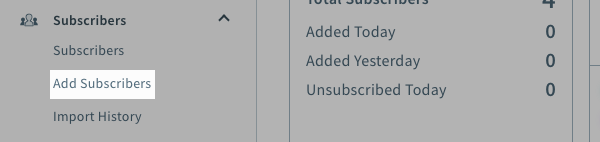
To import subscribers into the list, click the "Subscribers" tab and select Add Subscribers.
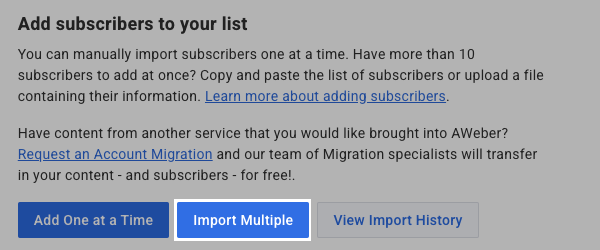
Click on the button to "Import multiple" and you will be taken to the import tool.
For step by step instructions on how to import subscribers, please click the following link:
If you were curious on whether or not you could import your list of subscribers into your account, please visit the following link for a breakdown on acceptable lists versus non-acceptable lists:
Manually Adding Subscribers
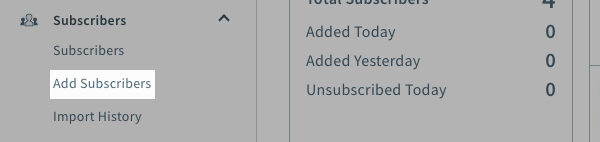
If you have a few subscribers that you needed to manually add to your list, you do not need to go through the import process. You are able to manually add up to 10 subscribers into your list. These subscribers could be individuals who requested to be on your mailing list while you were out and handed you a business card. Rather than importing just that one subscriber, simply use the "Add Subscribers" option. To manually add subscribers into the list, click the "Subscribers" tab and select Add Subscribers.
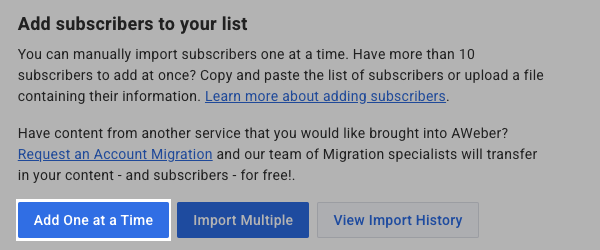
Click on the button to "Add one at a time" and you will be taken to the "Add Subscribers" page.
For step by step instructions on how to import subscribers, please click the following link:
Subscribers
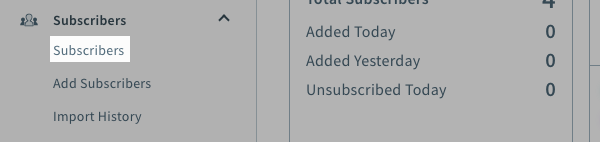
Once you have collected subscribers to your list, you may need to manage their information for your records or review their activity for the messages sent to them. Either way, to can review your subscriber's information by going to the "Subscribers" section. To see your subscribers, click the "Subscribers" tab and select Subscribers.
On this page, you are able to search for your subscribers by a variety of criteria. On the left-hand side of the page, you will notice a sidebar with different filter options. You can click on any of these filters and the subscribers matching that criteria will be displayed.
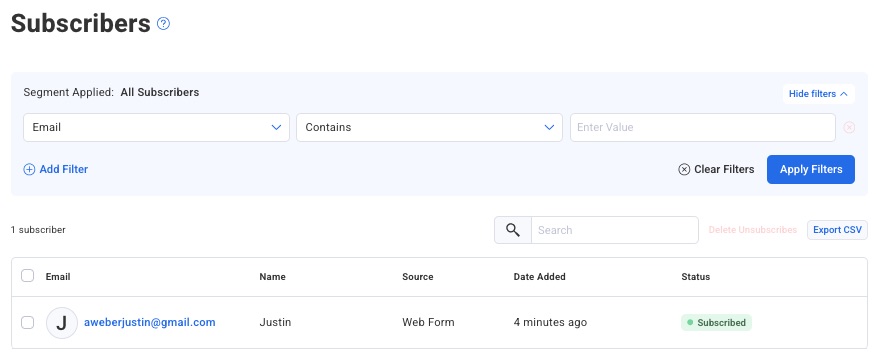
When you search for your subscribers, you can click on their name to display more information that is collected on the subscriber including the subscriber's activity.
Exporting Subscribers
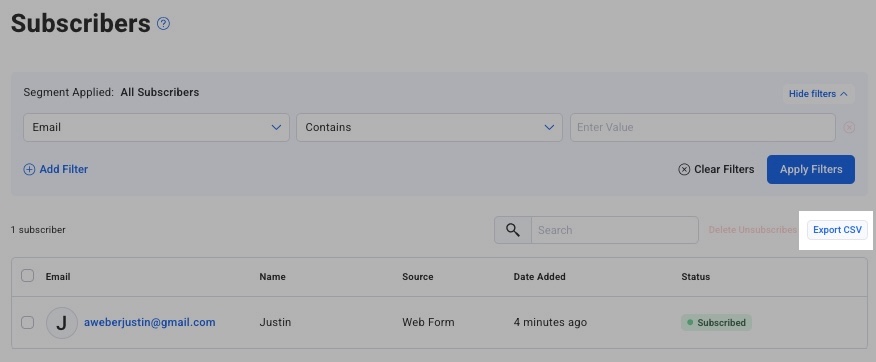
The easiest way to get a copy of your subscribers is to use our Backup Data feature. This will generate a copy of your subscribers and your messages in all of your lists. If you prefer, you can use the export feature on the "Subscribers" page to export subscribers from the specific list you are in. To export subscribers from the specific list you are in, you will need to click on the "Export CSV" button.
Tracking Landing Page Signups
When someone fills out a form on your landing page, they're automatically added as a subscriber to the email list connected to that landing page. To see who has signed up through your landing page:
-
Navigate to Subscribers in the left sidebar
-
Select the specific list that your landing page is connected to
-
Search for Add URL is [enter the URL of your landing page]
Note - There are different ways to find these subscribers, but the above listed option is often the most streamlined.
Identifying Landing Page Subscribers
To specifically track which subscribers came from your landing page:
-
Check the signup date: Sort by "Subscribed" date to see your most recent signups
-
Use tags: If you've set up tags in your landing page form, filter subscribers by those specific tags
-
Review ad tracking: If you've added ad tracking codes to your landing page, you can search subscribers by that ad tracking value to identify landing page signups
-
Look at subscriber details: Click on any subscriber to view their full profile, which shows when and how they subscribed
Note: There's no separate "Landing Page Signups" section - landing page submissions integrate directly into your main subscriber list, making them easy to manage alongside all your other subscribers.